24
Protocol: Set Alert Reminder
The protocol reminder is a timer that can be set for 1, 2 or 4 hours as a reminder that the patient
needs to be attended to or checked on. There are three alert settings for the protocol alarm.
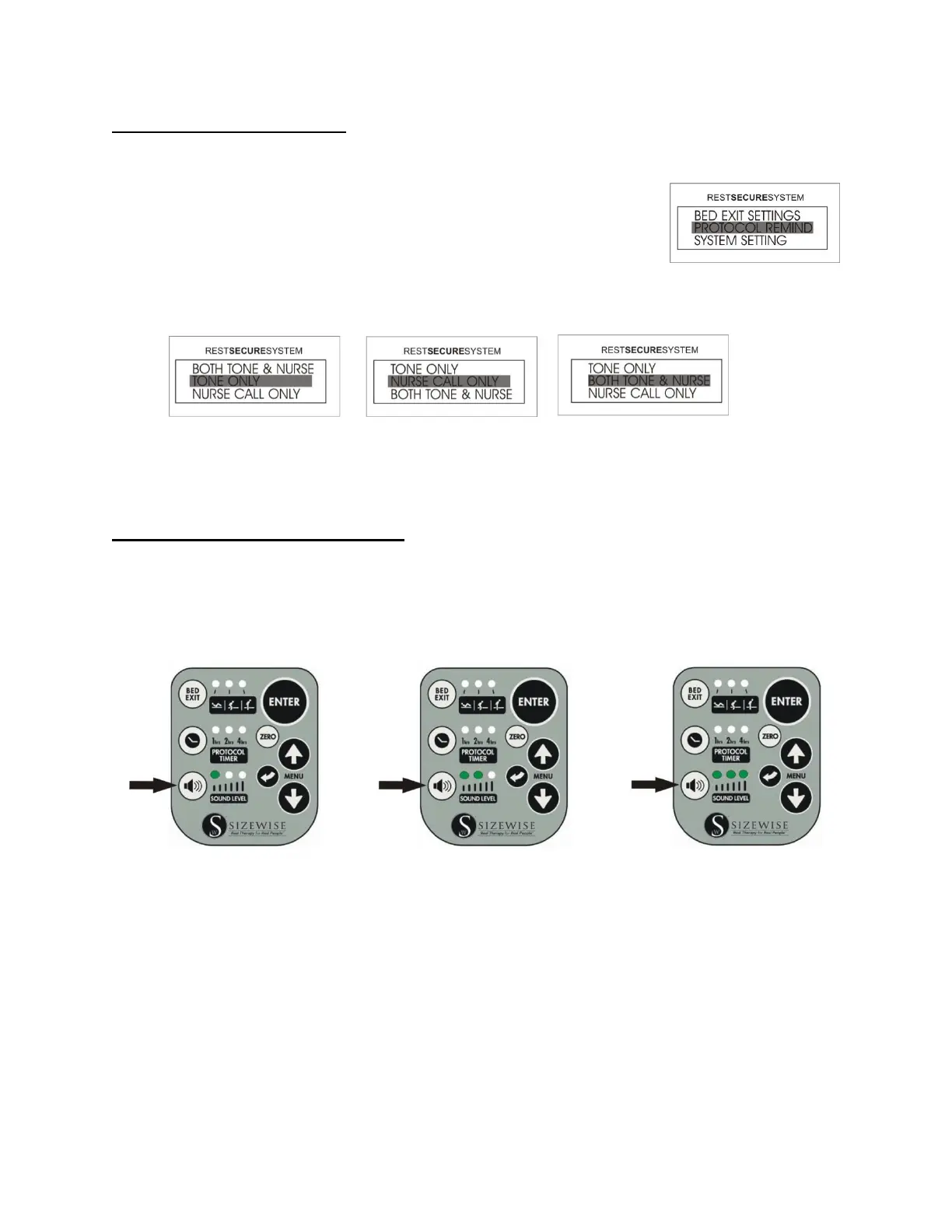
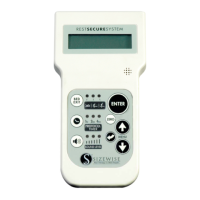
1. Access the Menu by pressing the UP or DOWN arrow until
PROTOCOL REMIND is highlighted and then press ENTER.
2. Choose from one of the three alert types and then press ENTER. The selection has now
been completed and the user will be returned to the Home Screen.
NOTE: The protocol audible tone is specific and is unchangeable to ensure differentiation
between a bed exit alarm and a protocol alarm. The protocol alarm will have short frequent
beeps.
Protocol Timer: Sound Level Setting
There are 3 sound levels for the bed exit alarm/protocol reminder.
Press the sound level button once for low volume, twice for medium volume, and a third time for
high volume. By pressing the sound level button for a fourth time, the sound level will be reset
to low volume.
Low Volume Medium Volume High Volume
NOTE: When the bed exit alarm and protocol timer are disabled, the sound level indicator lights
will be OFF. This indicates that the sound level has been disabled.





 To Next Page