33
NOTE: The bed exit indicator light will blink for 10 seconds before the alarm will activate.
Upon activation, the indicator will stay on. The bed exit alarm can only be activated with a
minimum of 35 lbs. (16 kg) on the bed.
Scale System: Use Scale and Access Weight History
The Rest Secure System’s integrated scale helps reduce the risk of care provider or patient injury
by allowing care providers to accurately record the weight of the patient without having to
transport or move the patient each time the weight is needed. The scale system is set to weigh
and record the patient’s weight automatically at midnight every day up to 30 days. This bed
offers care providers convenience in attending to the patient.
Before a patient is placed into the bed, the scale should be zeroed out. See the section SW Rest
Secure System Set-Up Scale System: Zeroing the Scale page 22.
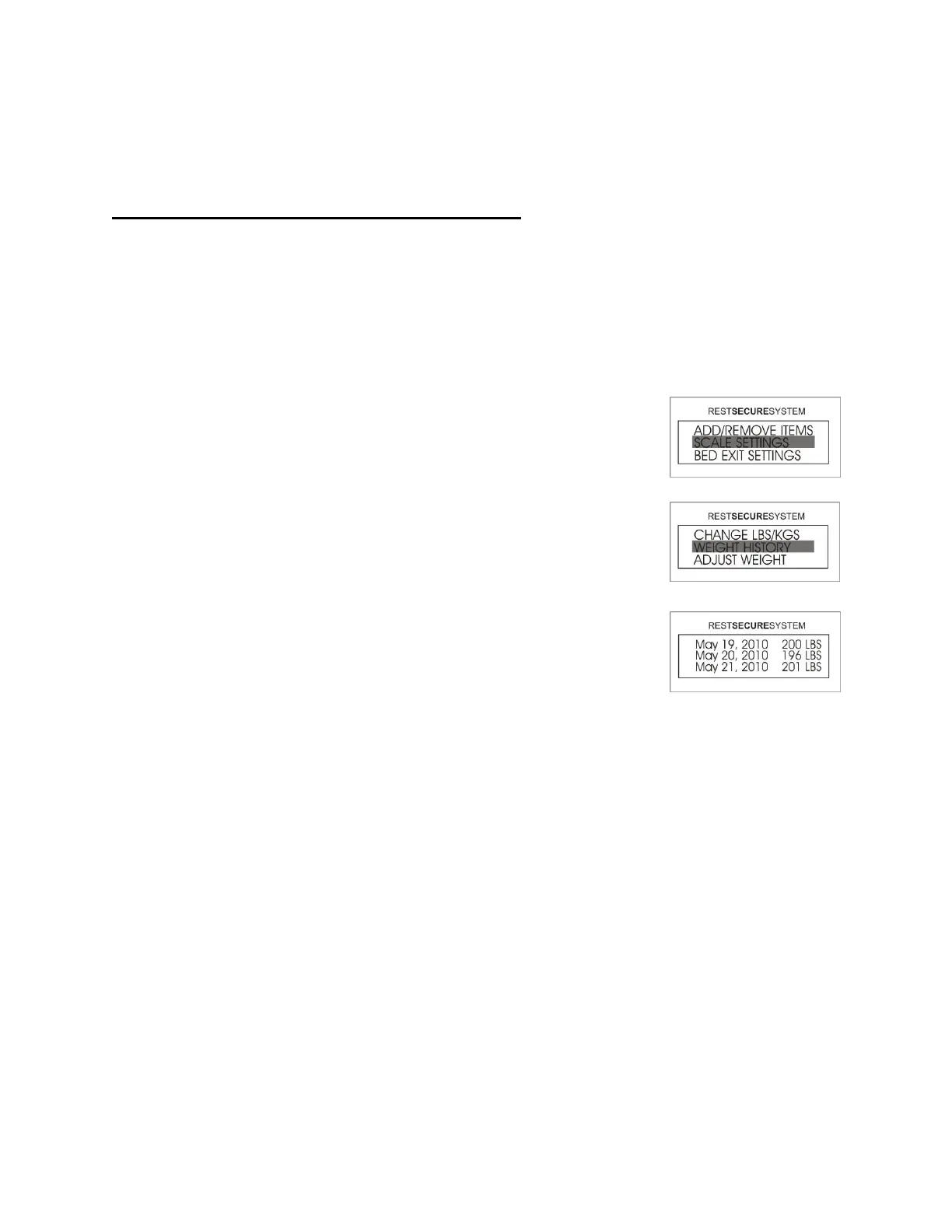
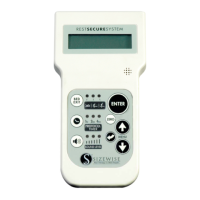
1. Access the Menu by pressing the UP or DOWN arrow until
SCALE SETTINGS is selected and then press ENTER.
2. Select WEIGHT HISTORY and then press ENTER.
3. Using the arrows, the user can toggle through the last 30 days of
history. Press the BACK button twice to return to the Home
Screen.
NOTE: The unit will only store the last 30 days of weight history. When the memory is full, it
will begin replacing the older weight history readings first.




 To Next Page