EasyManua.ls Logo

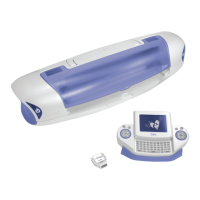
SIZZIX Eclips - Handheld Remote Control; Remote Control Overview; Function Keys

SIZZIX Eclips
36 pages
Print Icon
To Next Page IconTo Next Page
To Previous Page IconTo Previous Page
Loading...
9
Blade
Positioner
Control
Delete
ALT Blue
Rectangle
Screen
Navigator
Control
Function
Keys
Add to Queue
Display Window
Pop-Up
Menu
Toggle
Escape
Return
ALT Red
Circle
Shift
Options
Menu
Queue Display
Main Display
Selection Display
ALT keys add options to keypad. When highlighted, red or blue keypad characters are active.
Cut
HANDHELD REMOTE CONTROL
Page 16 Page 16 Page 16 Page 17 Page 17 Page 18 Page 18 Page 18 Page 19 Page 19
The Function Keys along the top of the keypad access additional features.
View the pages indicated below for details on how to use these keys.
Screen slides up
FUNCTION KEYS
HANDHELD REMOTE CONTROL
Meijer.com

Related product manuals