DEMO MODE
A demo mode is available, and can be activated in the diagnostics menu. Three/
four modes are available:
Mode 1; is a dynamic demo mode taking the present value as the start point
and slowly varying all the available values.
Mode 2; is a static demo mode taking the present values and keeping
them active.
Mode 3; is a xed speed longitudinal 5 kn, transversal 1 kn.
Mode 4; (DL1 only) Adjusting the speed in this mode will cause the
DL sensor to transmit acoustics with a frequency offset equivalent to
the speed you enter. The second channel will receive that signal and
process the data proving the system is working. This will test the whole
system. To activate/deactivate or change speed in this mode you must
press SET.
When the demo mode 1-3 are active, the sensor signal is ignored, and the
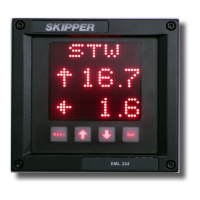
screen will indicate the demo state with a blinking S in the upper right corner
of the screen. The user can turn off the demo mode from the demo screen by
pressing down (↓) button until OFF is shown in the screen, or the demo mode
will turn off automatically after 10 hours.
ALARMS
The Compact speed log does not contain any alarms except for Common Alarm
(Power failure) That is connected to the Relay output J400 pins 8,9 &10. As
there is no requirement for any other alarms, these have been removed to
conform to recent changes in standards


 To Next Page