OpInMan EML224/DL1 Compact Speed Log System
Page 4 of 68
Date: 2017-01-12
___________________________________________________________________________
Terms, units and abbreviations used in this manual.
This part introduces you to the Compact speed log family.
Chapter 1 – physiCal installation
Correct installation of the system will ensure problem free service for many
years. This section explains the main steps to get your system working.
Chapter 2 – setting up the CompaCt display
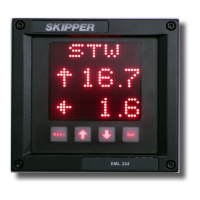
The Compact display is a exible, yet intuitive display allowing data to be
displayed in a user friendly way. It is also a primary system and can be integrated
into the navigation system as required by the regulations. This chapter explains
how to set up the unit.
Each new installation is unique and the system must be matched to the
vessel. Calibration is required to avoid inuence of mounting errors and that
hydrodynamics of the vessel are compensated for. This chapter explains the
procedure in a step by step guide.
Chapter 4 – runtime operation
Once the system is installed and operational, the user can change the screen to
show the data of interest at any particular time. This section explains the basic
operation of the system.
Chapter 5 – CheCking out your system
It is a good idea to verify your systems performance from time to time. This
chapter describes how to check interfaces and other issues. In the event of
mailfunction, this is a good place to start for trouble shooting.
To keep your Compact speed log system in order, regular maintenance is
important. To take advantages of new features and performance enhancements,
you may need to update software. This section shows how.
appendix 1 – baCkground information
Here you will nd more details of how the system works and which factors are


 To Next Page