User Manual 67
DOL 534 • DOL 539
4.1.1.1 Preheating Livestock House
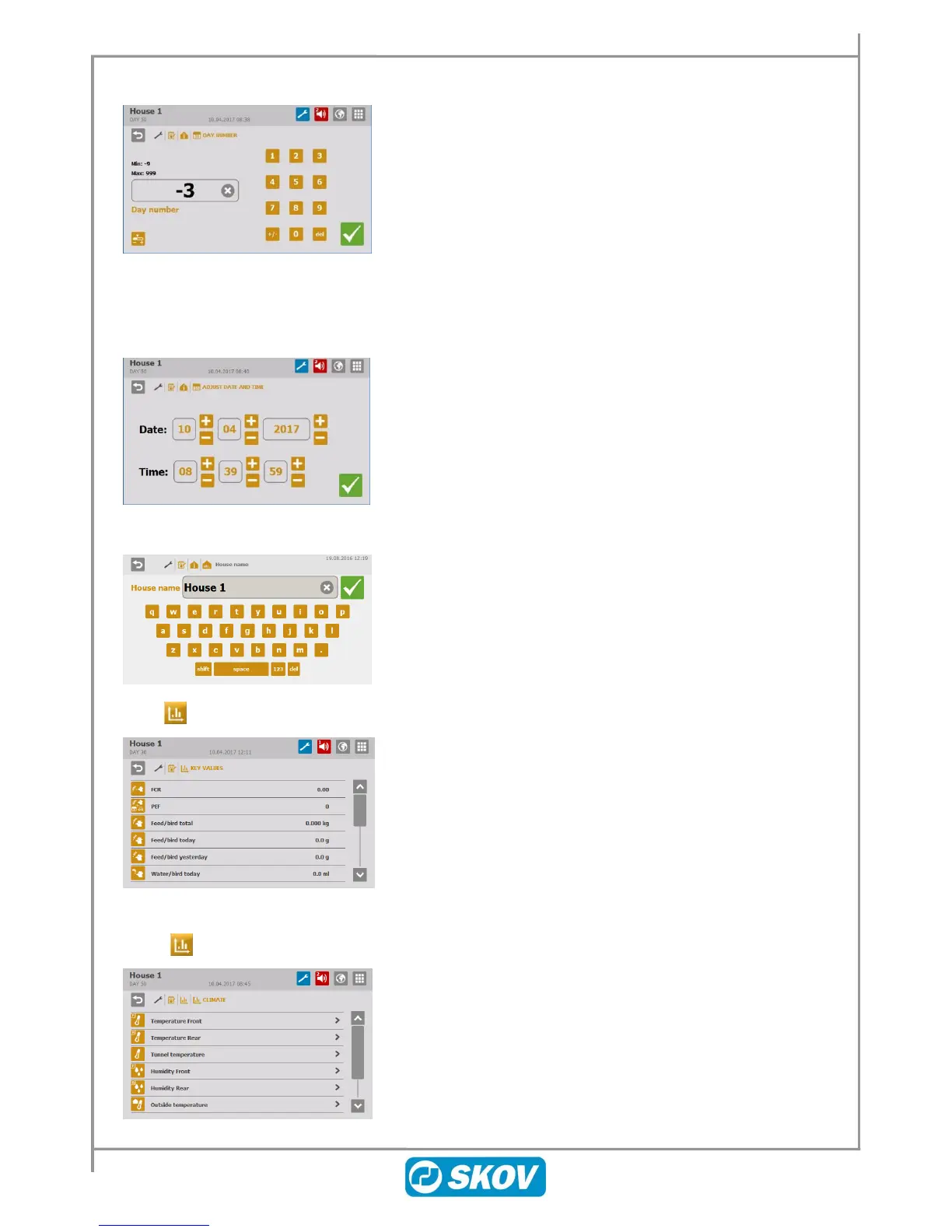
Day number can be set to a negative day number (up to 9) so
preheating of the house is carried out on the negative day
numbers.
1. Set batch status to Active house.
2. Set Day number to the number of days required for
preheating
e.g. -3.
3. Make sure that the first curve point of Minimum ventilation
is set to 0% in the menu Management/ Batch curves/
Climate/ Min. ventilation.
Correct setting of the time is important for several control
functions and for the registration of alarms.
The clock will not stop in the event of a power failure.
When the house controller is integrated in a LAN network, it is
important that each house section has a unique name. The house
name is transferred through the network and the house should
therefore be identifiable based on its name.
Set up a plan for naming all controllers connected to the network.
Display of production values.
Climate trend curves give a picture of how the climate has
developed during the last 24 hours.



 To Next Page