76 User Manual
DOL 534 • DOL 539
5
Alarms
Alarms only work when batch status is Active house.
When an alarm is generated, DOL 53X registers the type of
alarm and the time at which it occurred.
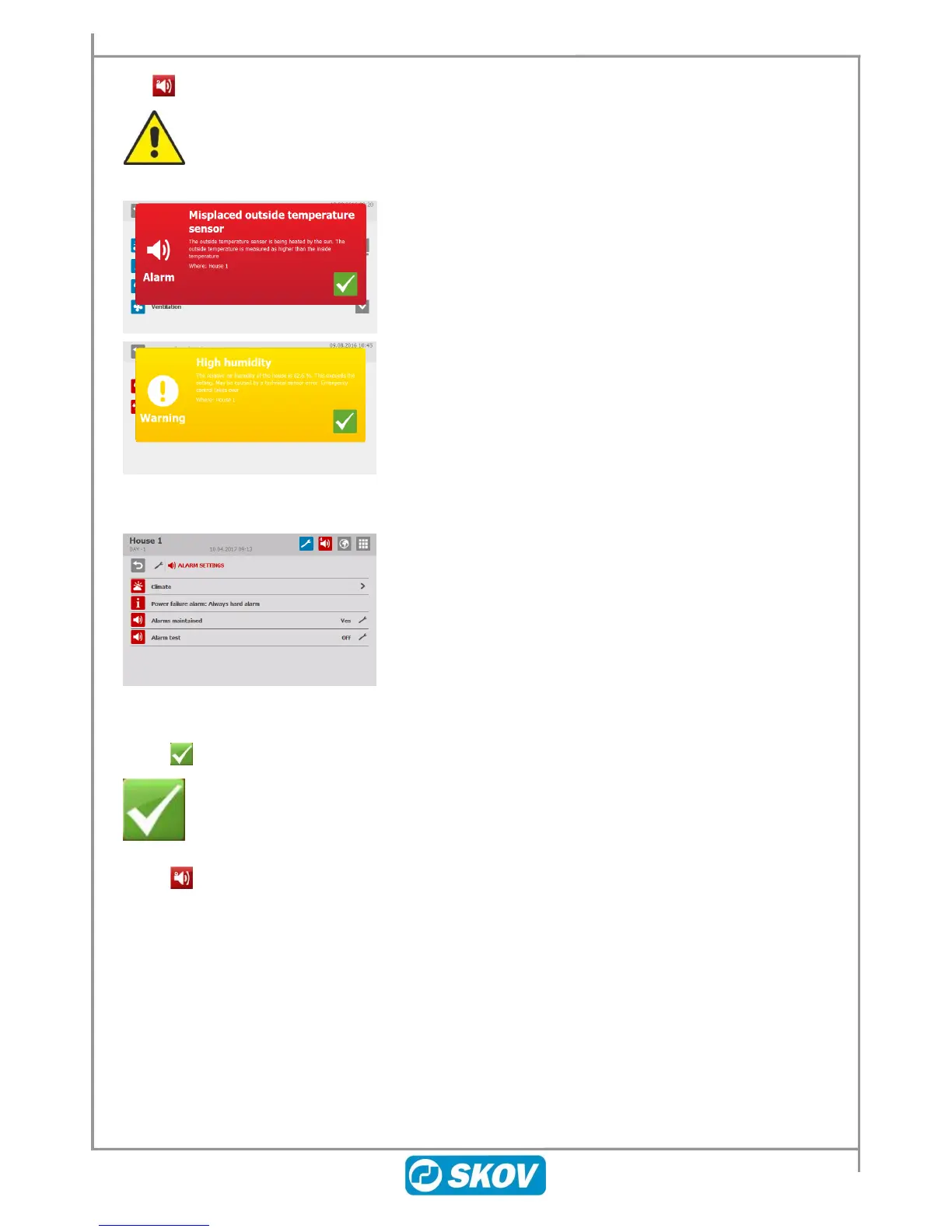
This information will be shown in a special alarm window in the
display together with a short description of the alarm situation.
There are two types of alarm:
Hard alarm: Red pop-up alarm on DOL 53X and alarm
generation with the connected alarm units, e.g. a
horn.
Soft alarm: Yellow pop-up alert on DOL 53X.
In the alarm menu, it is possible to select whether some climate
and production alarms are to be hard or soft.
The controller will also generate an alarm signal which you can
choose to maintain.
The signal will thus continue until you acknowledge it. This also
applies even if the event that generated the alarm has stopped.
Alarms maintained:
YES: The signal continues after the alarm event has stopped.
NO: The signal stops after the alarm event has stopped.
5.1 Stopping the Alarm Signal
The alarm window in the display disappears and the alarm signal stops when you
acknowledge the alarm by pressing the adjustment knob.
5.2 Alarm Log
The DOL 53X climate and production controller registers alarms including information about when they
occurred and when they were deactivated. Several alarms often succeed each other because an error in one
function affects other functions.
For instance, a flap alarm could be succeeded by a temperature alarm as the controller cannot control the
temperature correctly with a defective flap. This way, the previous alarms enable you to follow an alarm course
back in time and find the error that caused the alarms.



 To Next Page