70 User Manual
DOL 534 • DOL 539
When the time for an in-between function is up, the controller will again regulate according to the settings for
Empty house.
Menu for setting the in-between function.
Setting the shutter position for the roof inlets (roof).
Setting the speed control for the roof inlets (roof).
Setting the recirculation fan for the roof inlets (roof).
Setting the flap opening for side air inlet.
Setting the flap opening for tunnel air inlet.
Setting the percentage of nominal ventilation.
When the house is in Empty house, this function is used to open a number of
ON/OFF air outlets.
Setting the flap opening for air outlet.
When the house is in Empty house, this function is typically used to open the
stepless shutter.
Setting of speed control for air outlet.
When the house is in Empty house, this function is typically used to turn off
the stepless fan.
Setting the active period for soaking.
Setting the intervals in which the soaking system is active.
Setting the period in which the soaking system is running.
Setting the active period for washing.
Setting the heating in connection with the Drying function.
Setting the active period for drying.
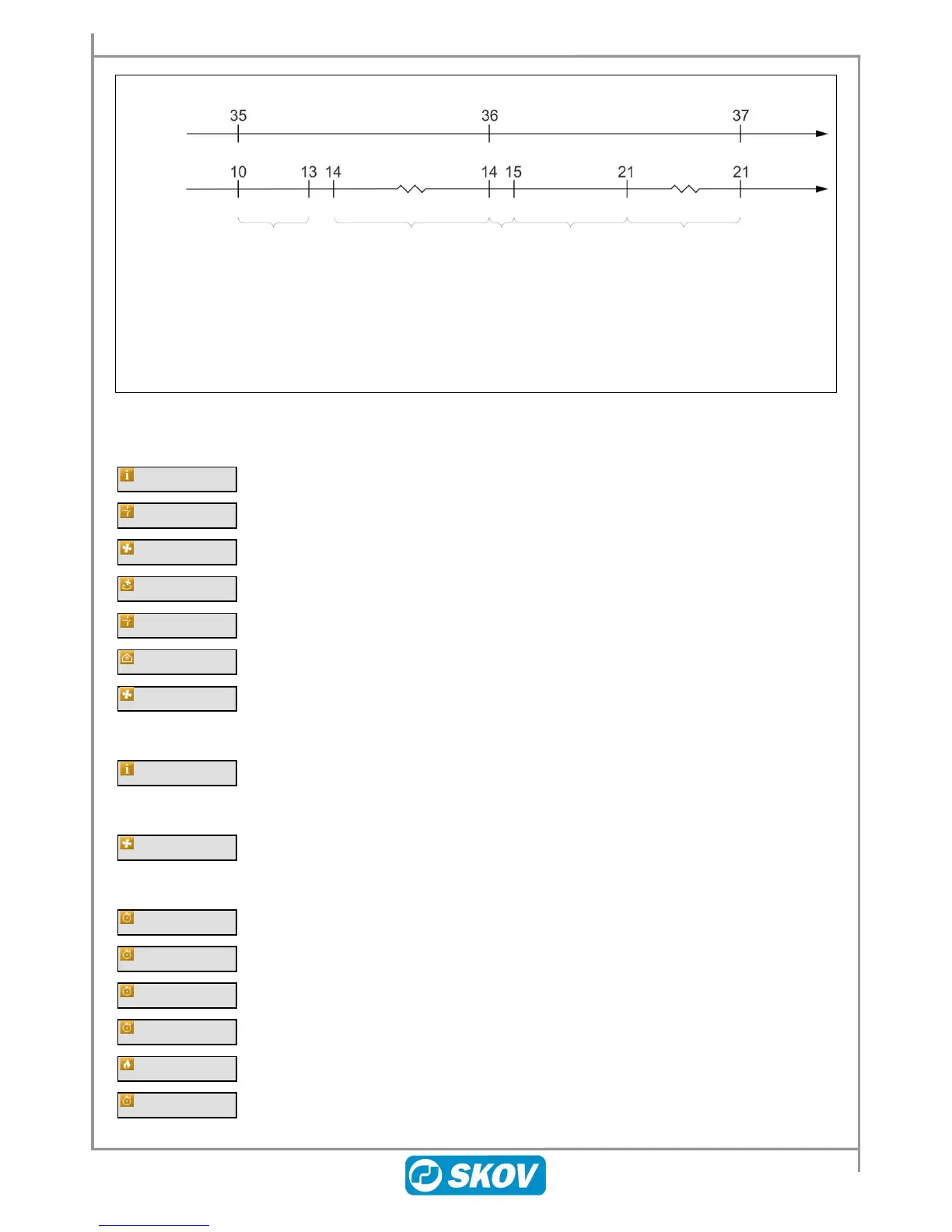
Example 24: Course of in-between functions
Empty house
Ventilation
Temperature
surveillance
Soaking
24:00 t.
Ventilation closed
Washing
01:00 t.
Ventilation
Drying
06:00
Ventilation.
Heating
Disinfection
24:00
Ventilation closed.
Temperature
regulation
Preheating
Ventilation closed.
Heating


 To Next Page