Camera trigger
SmartAP MAX supports automated camera triggering interface which physically be:
PWM Output - if you want to use PWM output, simply connect camera trigger activator into any free PWM channel and configure port
number later in the settings.
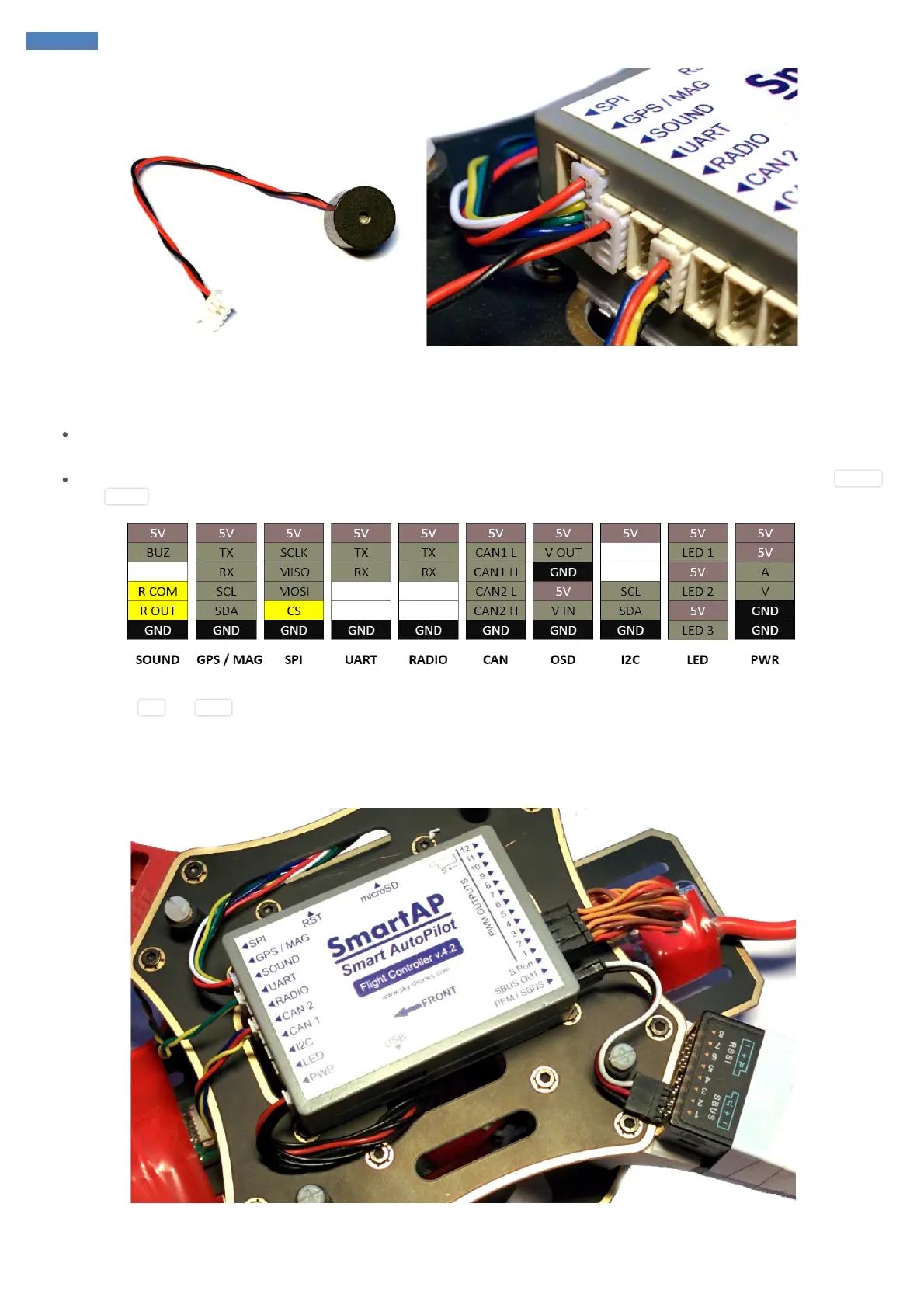
Relay commutation - if you want to use relay, connect the pins which should be shorted / unshorted upon activation to relay pins RCOM
and ROUT (marked yellow):
In case you want to use camera feedback of the moment when the photo was actually taken (for Log file and precise geotagging later) then you
need to connect CS and GND pins marked above to the signal and ground of the interface which provides camera feedback.
Assembled System
Fully assembled and mounted system should look as follows:



 To Next Page