UAV Settings
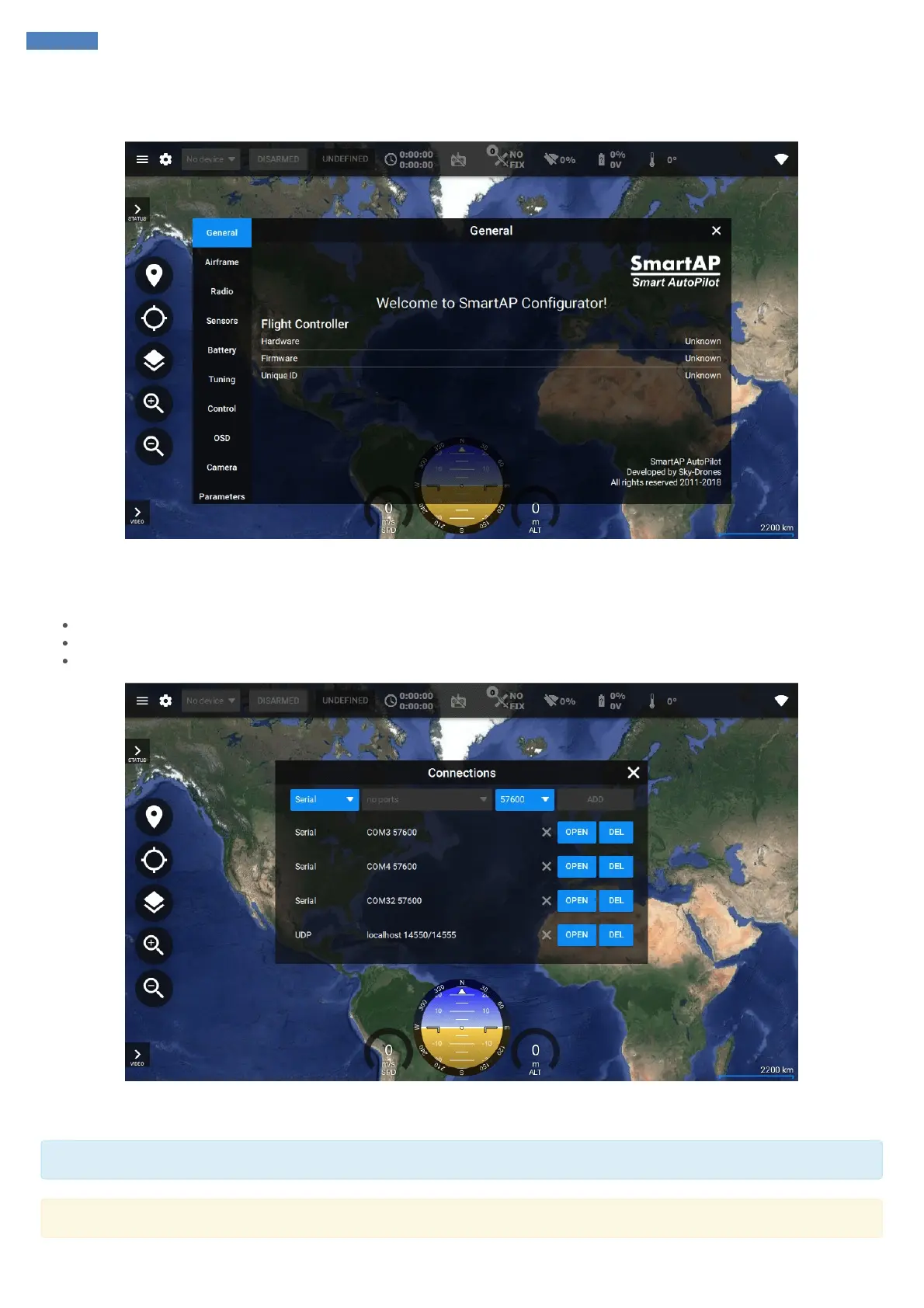
Clicking the gear will open UAV settings menu. The main tab shows information concerning hardware, installed firmware and unique ID. Tabs at
left provide the navigation between various settings of the flight controller which will be described in the further chapters.
Links Management
Top right corner has Links icon. Clicking this icon shows connections management menu. There are a few communication types available:
Serial
UDP
TCP / IP
You can create and store a new Serial / UDP / TCP/IP connection by choosing COM Port and Baud Rate or providing IP & Ports details.
Connection can be established via USB or wireless telemetry.
Usually, baud rate for wireless telemetry connection is 57600
If you are about to configure a new Flight Controller unit it is recommended to use USB connection instead of wireless telemetry.



 To Next Page