40
SJ6832 RTE
Section 4 – Inspections Before Operation Function Tests
4.3 Function Tests
Do the function tests in sequence.
WARNING
Do not operate a MEWP that does not function
correctly. Lock and tag the MEWP, and remove it
for servicing. Only a qualified service technician
must repair the MEWP. If you do not obey, there is
a risk of death or serious injury.
Be sure to read Section 5 before you do the function
tests.
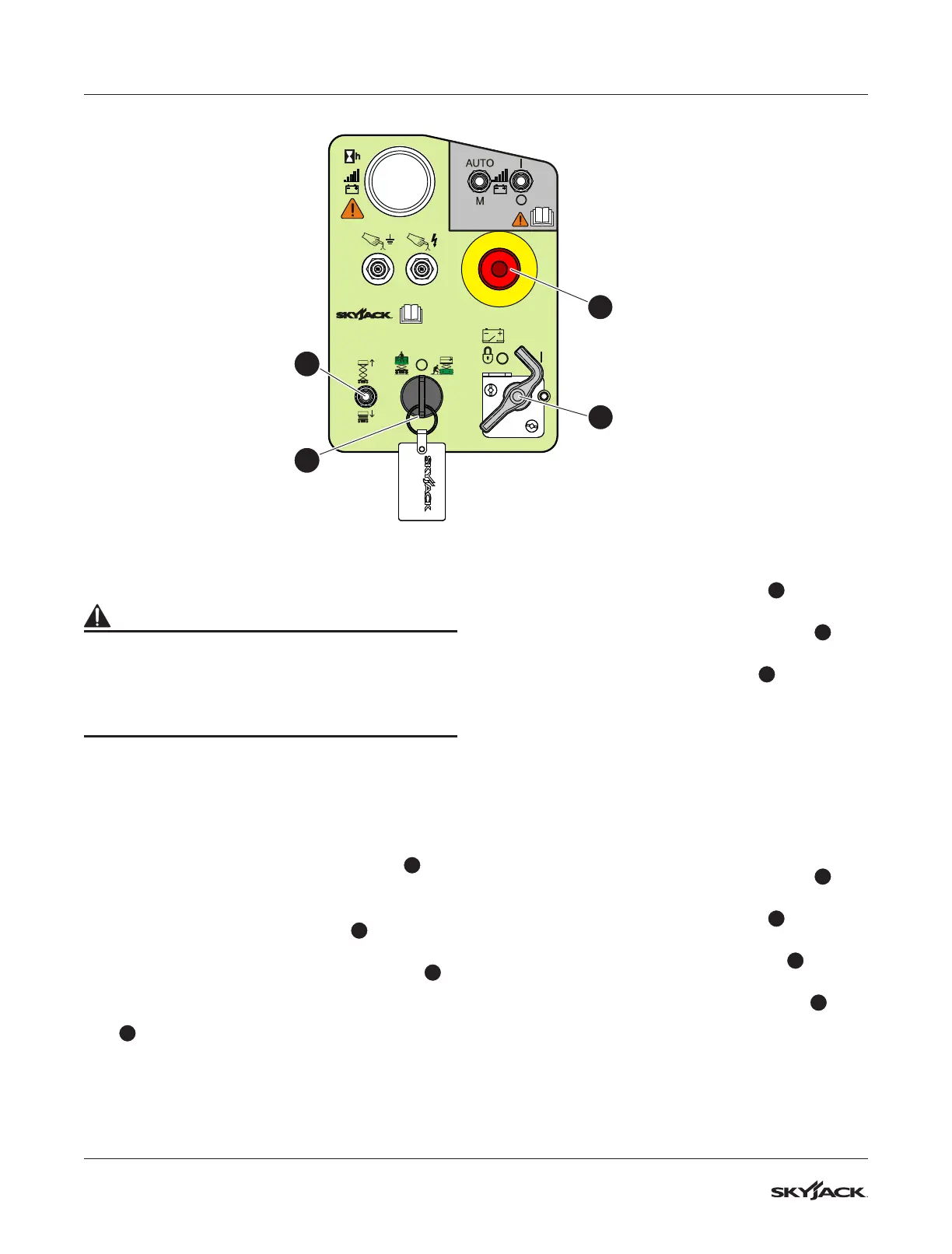
4.3-1 Do a test of the main power
disconnect switch
1. Turn the main power disconnect switch
1
to
the off position.
2. Raise or lower the platform.
3. Pull the emergency-stop button
2
on the base
control console.
4. Turn and hold the platform/off/base switch
4
to the base position.
5. Move and hold the lower/neutral/raise switch
3
in the raise position.
▪
Result: The platform does not raise.
4.3-2 Do a load-sensing module self-
check
1. Push the emergency-stop button
2
on the
base control console.
2. Turn the main power disconnect switch
1
to
the on position.
3. Pull the emergency-stop button
2
on the base
control console.
▪
Result: The beeper makes a sound for
approximately 1 second. The light on the
emergency-stop button comes on. This shows
that the system is in operation, and there are
no faults.
4.3-3 Do a test of the emergency-stop
button on the base
1. Turn the main power disconnect switch
1
to
the on position.
2. Push the emergency-stop button
2
on the
base control console.
3. Turn and hold the platform/off/base
4
switch
to the base position.
4. Move and hold the lower/neutral/raise
3
switch to the raise position.
▪
Result: The platform does not rise.
2
1
3
4





 To Next Page