87
2.4 Setting the Language of the Country
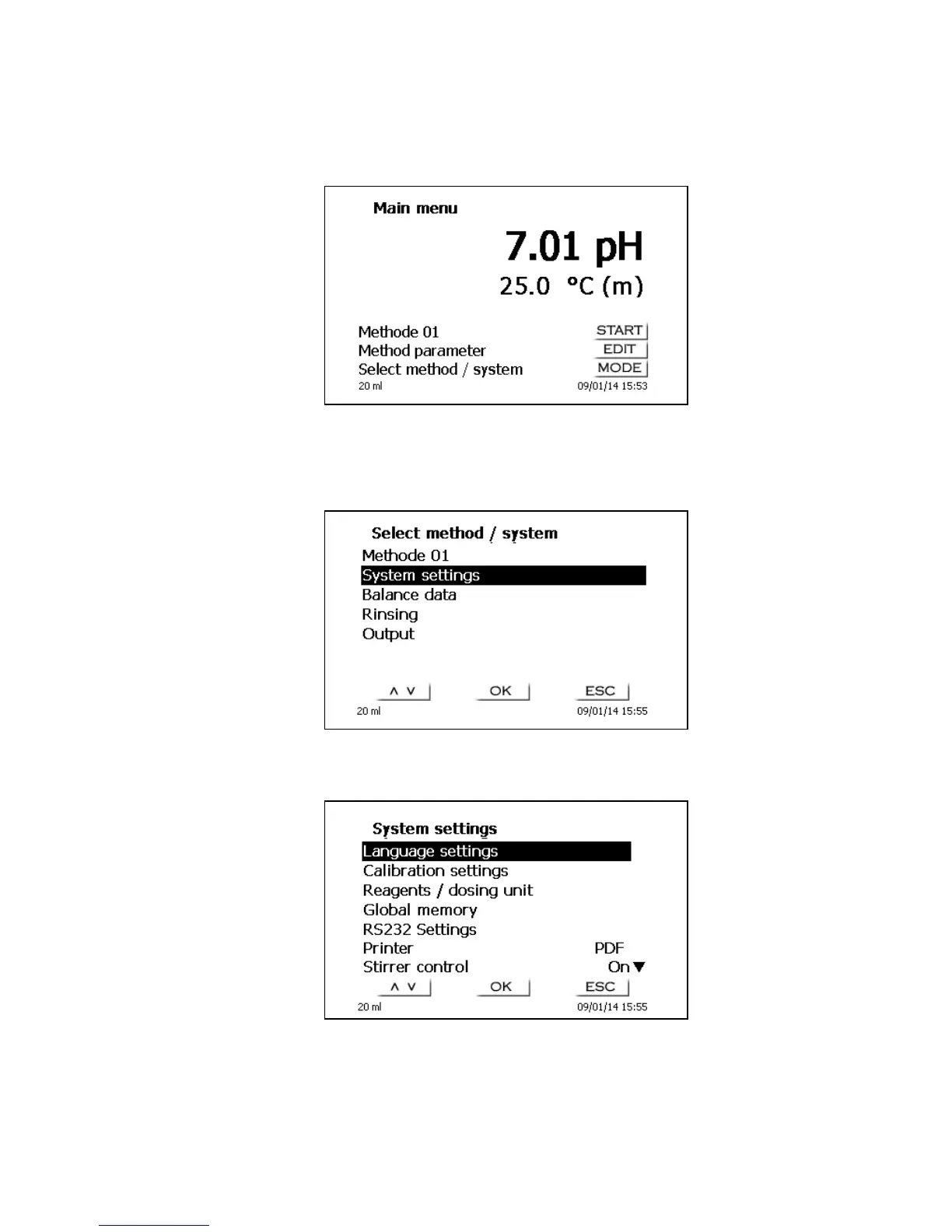
The ex-factory default language setting is English. When the piston burette is switched on, the main
menu will appear once the boot sequence is completed:
Fig.4
Using <MODE> followed by <System settings> you navigate to the system settings. The very first
menu is to be used for setting the language of the country:
Fig. 5
The first menu are the language settings.
Fig. 6
Select the language using the <↑↓> arrow keys, confirm it with <ENTER>/<OK>.


 To Next Page