141
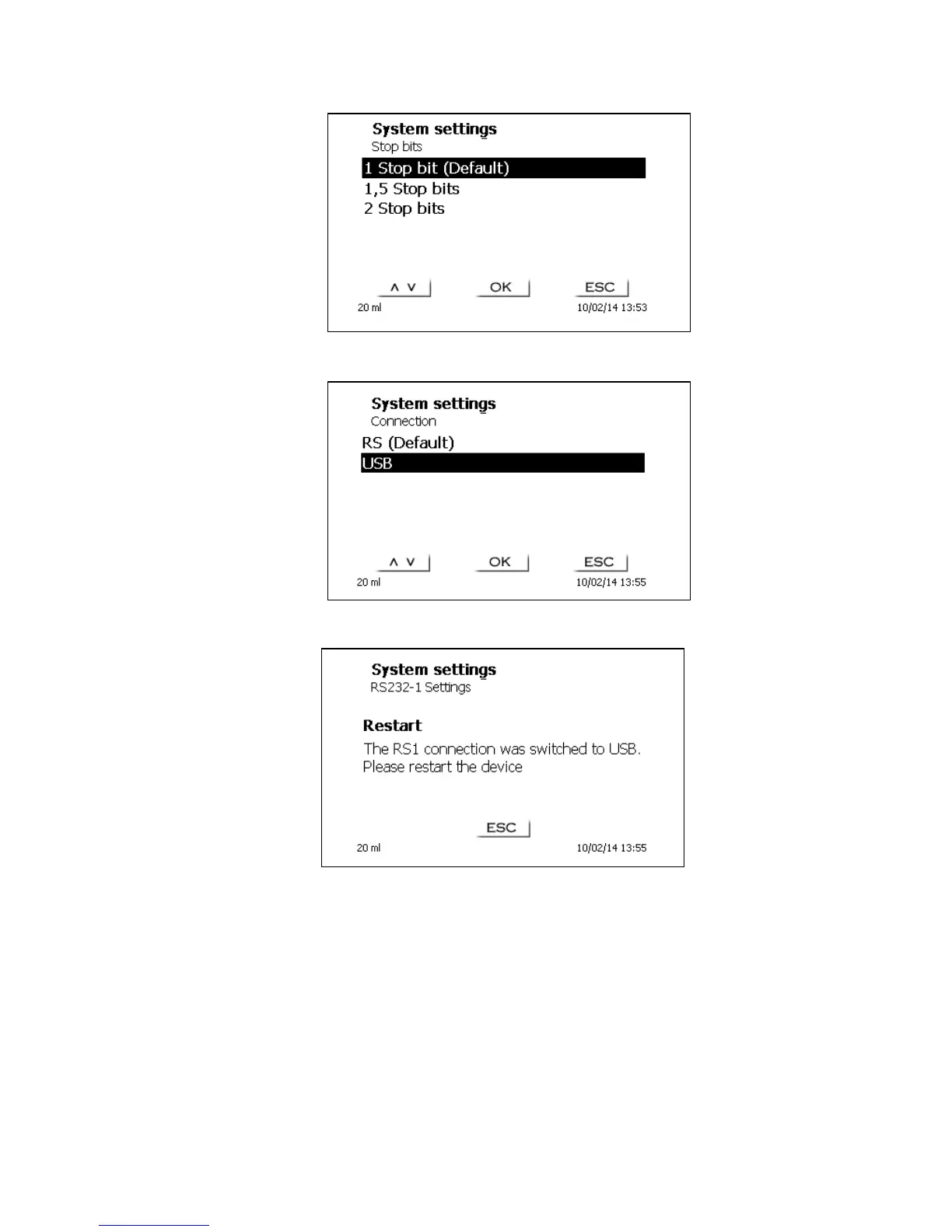
Fig. 141
The connection via RS can be changed to USB (USB-PC).
Fig. 142
After switching from RS232 to USB and vice versa, a restart is always necessary.
Fig. 143
The USB driver can be downloaded from our homepage or it may be available on an included USB
stick. The RS232 parameters can be set to the factory settings.
5.5 Connection of Printers
The results, calibration data and methods can be printed on the following media:
HP PCL compatible printer (A4), color and monochrome (e.g. laser printer)
Seiko DPU S445 (Thermo paper 112 mm width)
On the USB stick in PDF- and CSV-format
To connect the printers to the burette please use the USB socket. When printing, please check
whether the correct printer is connected. It is not possible to print „HP“printer layouts on another
thermal printer or vice versa. The printer settings should always be checked and adjusted after
changing the printer.


 To Next Page