95
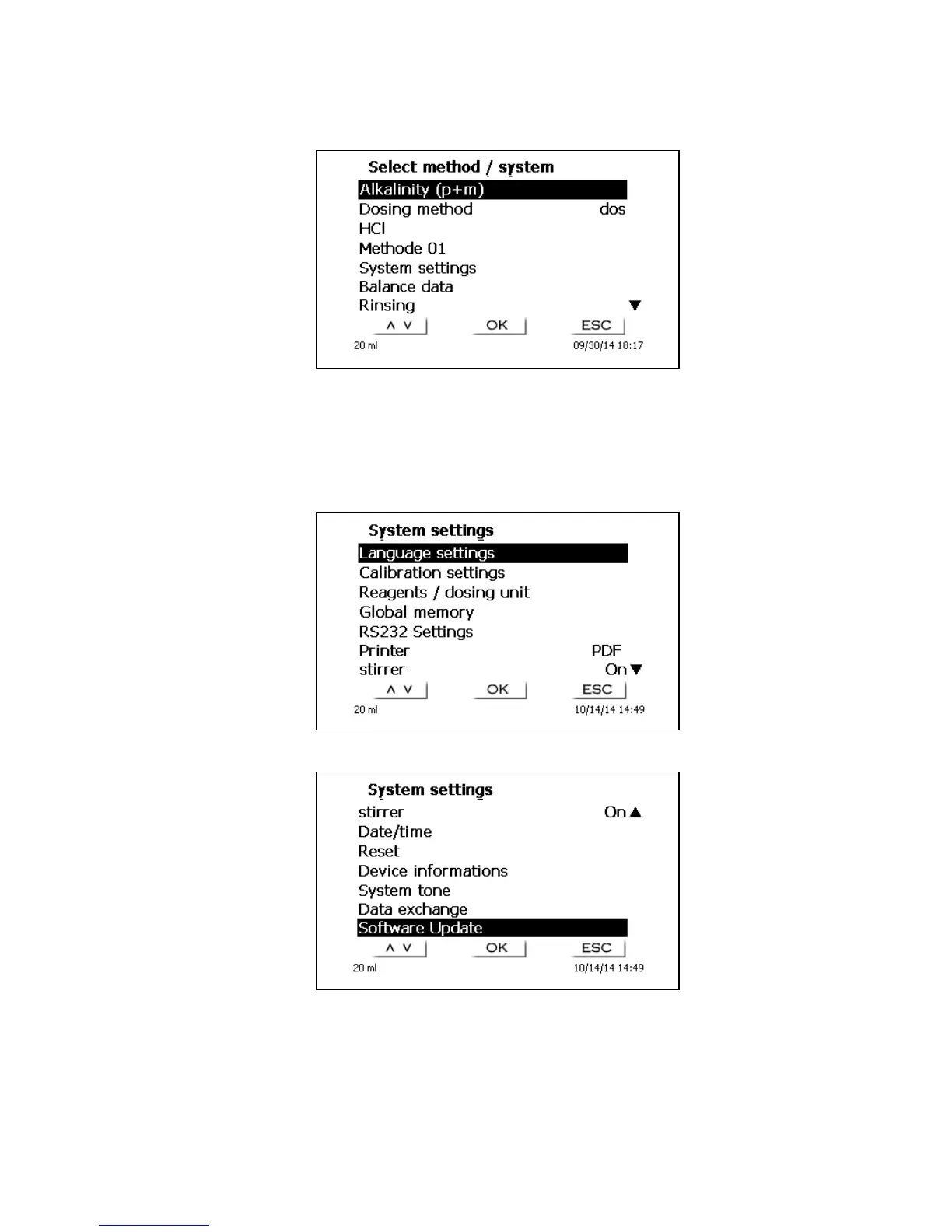
<MODE>/F6 leads you to the “select method“ menu (Fig. 21).
Fig. 21
Existing methods (maximum 5) can be selected by pressing the <↓> und <↑> keys and confirming the
selection with <OK>/<ENTER>. Once the selection made, you will return to the main menu with the
newly selected method. If no method is selected, <ESC> will also take you back to the main menu.
To navigate directly to the system settings (Fig. 22 and Fig. 23) you can use the <SYS>/F7 key; you
can also navigate there through the method selection menu.
Fig. 22
Fig. 23


 To Next Page