Page 38 (Model K)
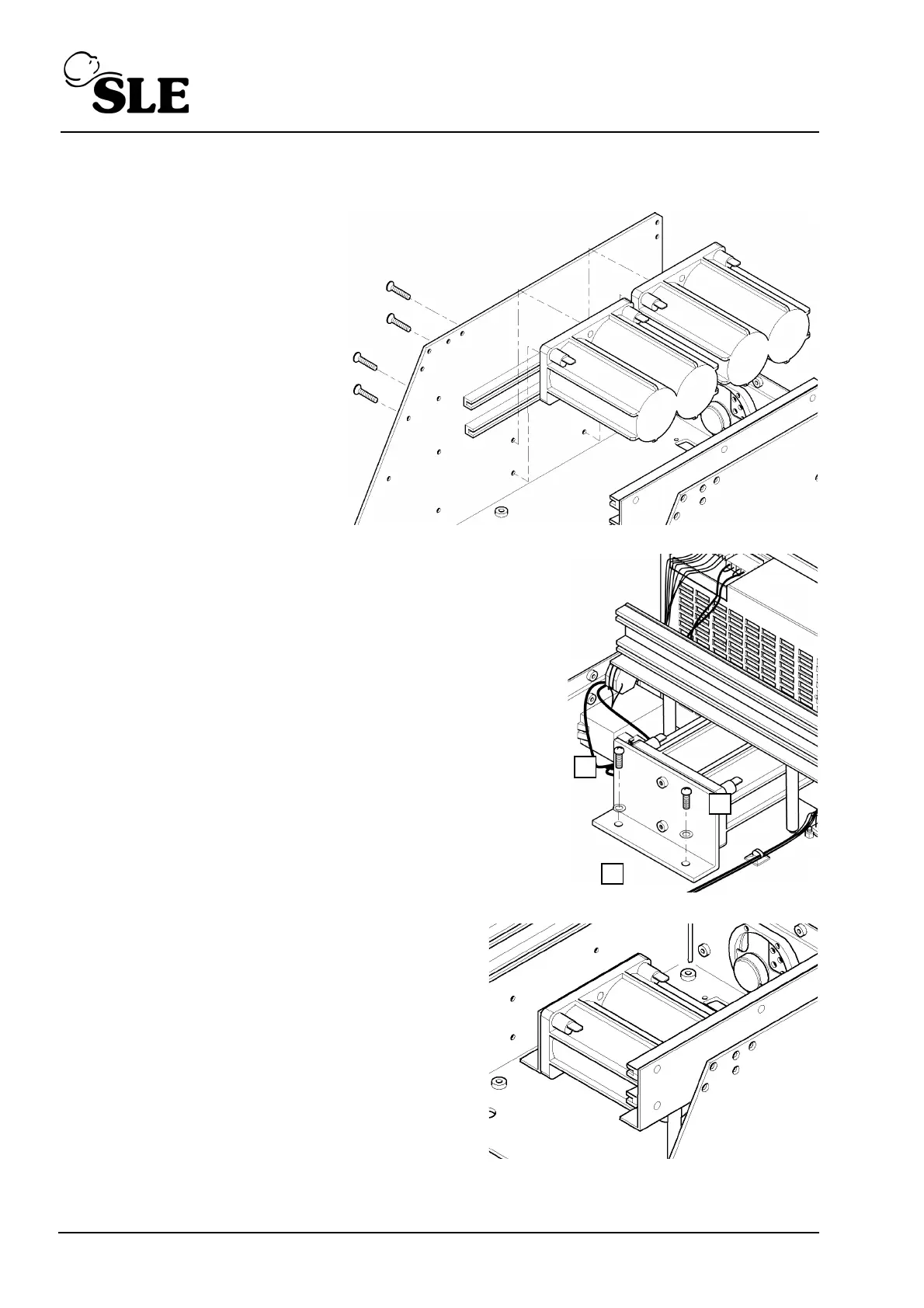
8.8 M0901 Batteries
1. Remove the L0275/OEM2
Computer/Display Control
assembly as described in section
8.5.
2. Remove the Control /Monitor
board as described in section
8.6.
3. Disconnect all the battery
terminal leads.
4. Remove the four retaining
screws for the first two battery
blocks.
5. Remove the two batteries.
6. Remove the two fixing screws and washers (A), securing
the fixing bracket (B) for the third battery.
7. Slide the battery forward and lift clear.
8. Remove the two fixing screws to release the
bracket from the battery block.
9. Assembly is reversal of removal.
Setup: No setup is required for this device. The
ventilator should be left connected and turned on
for a minimum of 24 hours to fully charge the
batteries.



 To Next Page