(Model K) Page 87
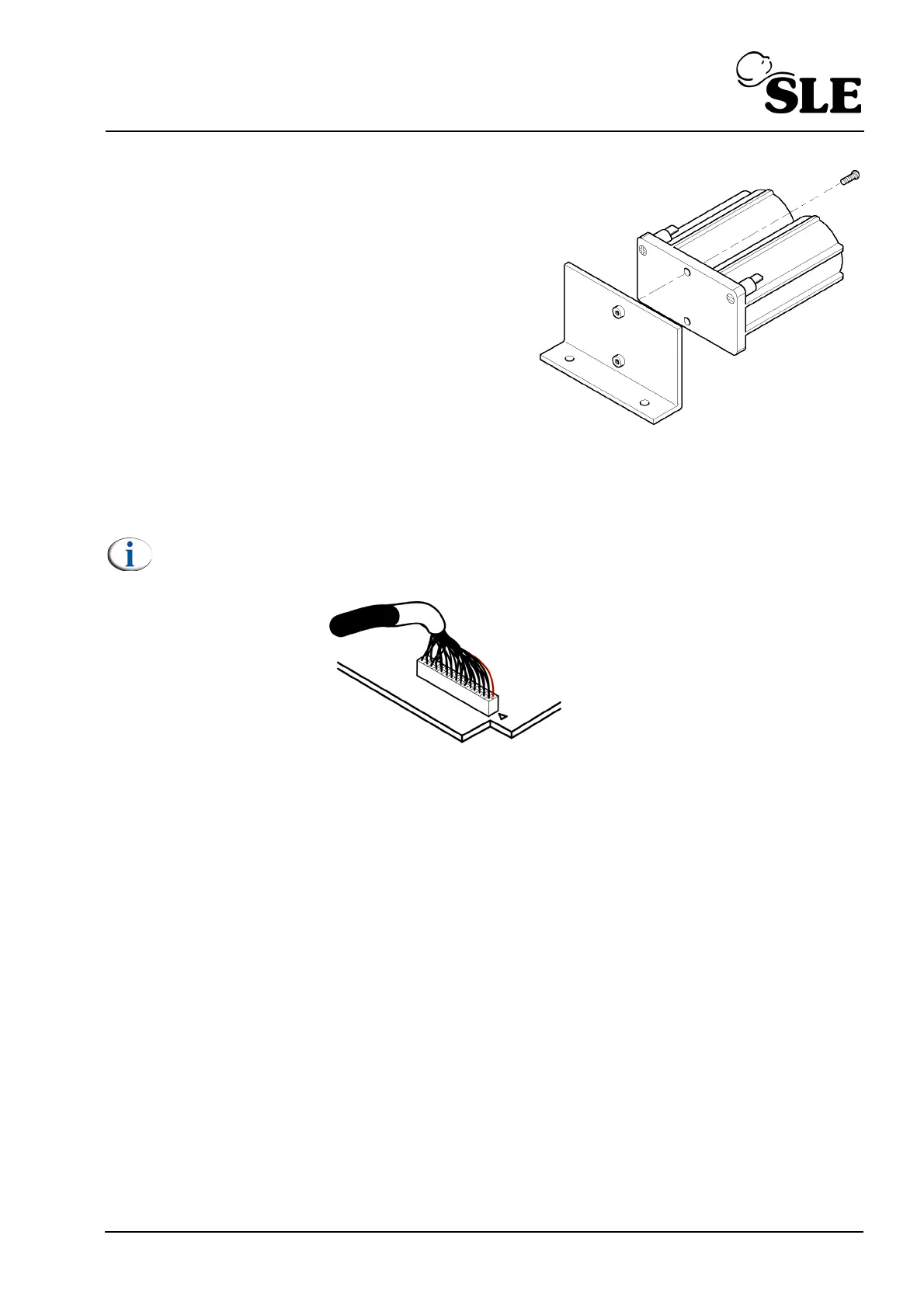
7. Remove the two screws retaining the bracket to
the battery.
8. Reversing the procedure for replacement of the batteries, re-install all the electronic
module components.
Note: The pin 1 orientation of the display cable on the L0275/OEM2 assembly is
reversed when compared to previous models.
9. Carry out the following to complete the 24 month overhaul.
10. Carry out the 12 & 36 month preventative maintenance procedure.
16.4.4 Setup
1. Reset the time and date.
2. Carry out the two point oxygen calibration.
3. Carry out a full functional test.
4. Replace all the covers.



 To Next Page