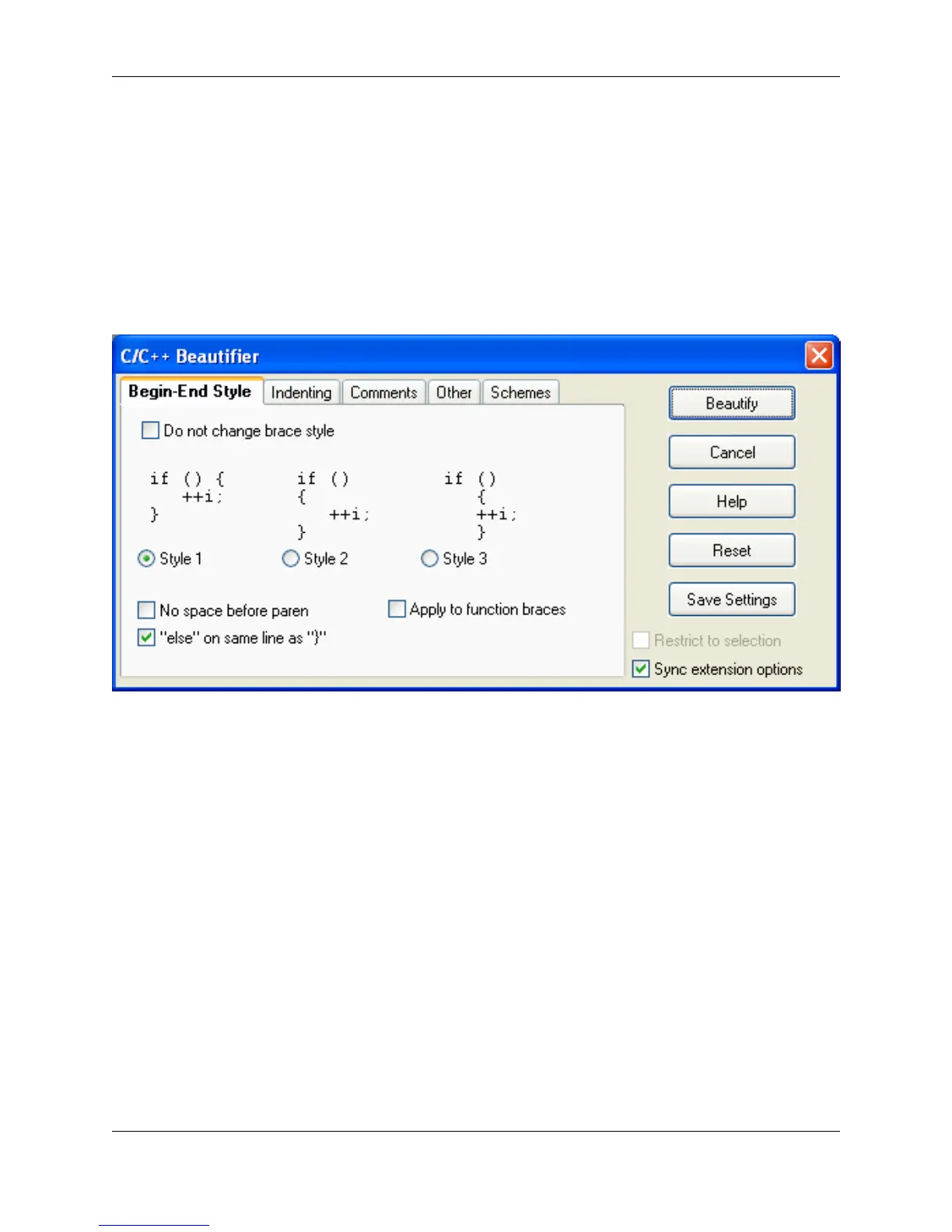
• Sync extension options - When this option is selected, the extension options are updated to reflect
any changes that these dialogs have in common. For example, changing the begin-end style to Style 2
will update your brace style for Syntax Expansion.
The tabs on the C/C++ Beautifier are described in the sections below.
Begin-End Style Tab
Figure 7.6. C/C++ Beautifier: Begin-End Style Tab
The following options and settings are available:
• Do not change brace style - Select this option if you do not want your brace style changed. This is
useful if you are using a brace style that is not supported by SlickEdit® Core.
• No space before paren - Determines whether a space is placed between a keyword such as if, for, or
while and the open paren.
• else on same line as } - When this option is selected, the beautifier will place } else on the same line.
This is typical when using brace Style 1. The following is an example of using Style 1 with an else
clause:
if (i<j) {
} else {
}
• Apply to function braces - When this option is selected, the beautifier will apply your begin/end style
to braces for function definition.
C/C++ Beautifier
238



 To Next Page