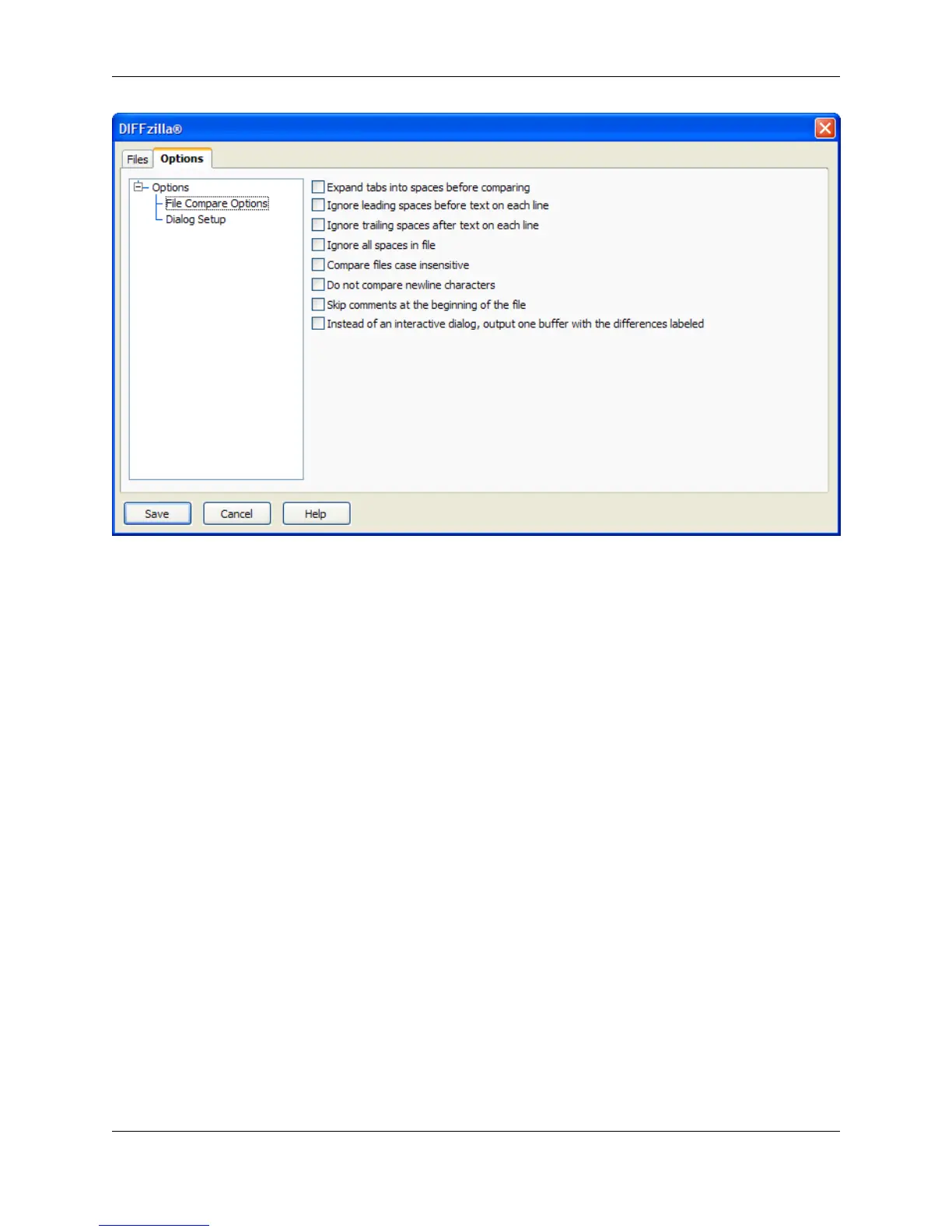
The file compare options, shown above, are described as follows:
• Expand tabs into spaces before comparing - When selected, tabs are expanded to the appropriate
number of spaces before lines from each file that is compared.
• Ignore leading spaces before text on each line - When selected, differences in leading spaces of
lines are ignored.
• Ignore trailing spaces after text on each line - When selected, differences in trailing spaces at the
end of lines are ignored.
• Ignore all spaces in file - When selected, differences in spacing between characters in lines are ig-
nored.
• Compare files case insensitive - When selected, differences in character casing are ignored.
• Do not compare newline characters - When selected, differences in end-of-line characters are ig-
nored. This is useful when comparing UNIX-formatted files with DOS-formatted files.
• Skip comments at the beginning of the file - When selected, leading comments are ignored. This is
useful if you are using a version control system that automatically inserts comment file headers.
• Instead of an interactive dialog, output one buffer with the differences labeled - When selected, a
new buffer is created that contains color-coded difference output. You can edit the output buffer. When
this option is not selected, the Diff dialog box opens displaying the two files side-by-side and the differ-
ences are color-coded.
Dialog Setup Options
DIFFzilla® Dialog
375



 To Next Page