wrapped until it reached a total length of 30+80=110 characters. Set this value to 0 if you want your line
breaks preserved.
• Broken tag lines - Specify how broken tag lines are treated from the following options:
• Indent from tag column by - Specifies the amount to indent for broken tag lines from the starting
column of the tag. Specify 0 to align broken tag lines with the starting column of the tag.
• Use original relative indent - Reindent broken tag lines using the original relative indent amount
from the starting column of the tag.
• Preserve original indent - Preserve the original absolute indent amount on broken tag lines.
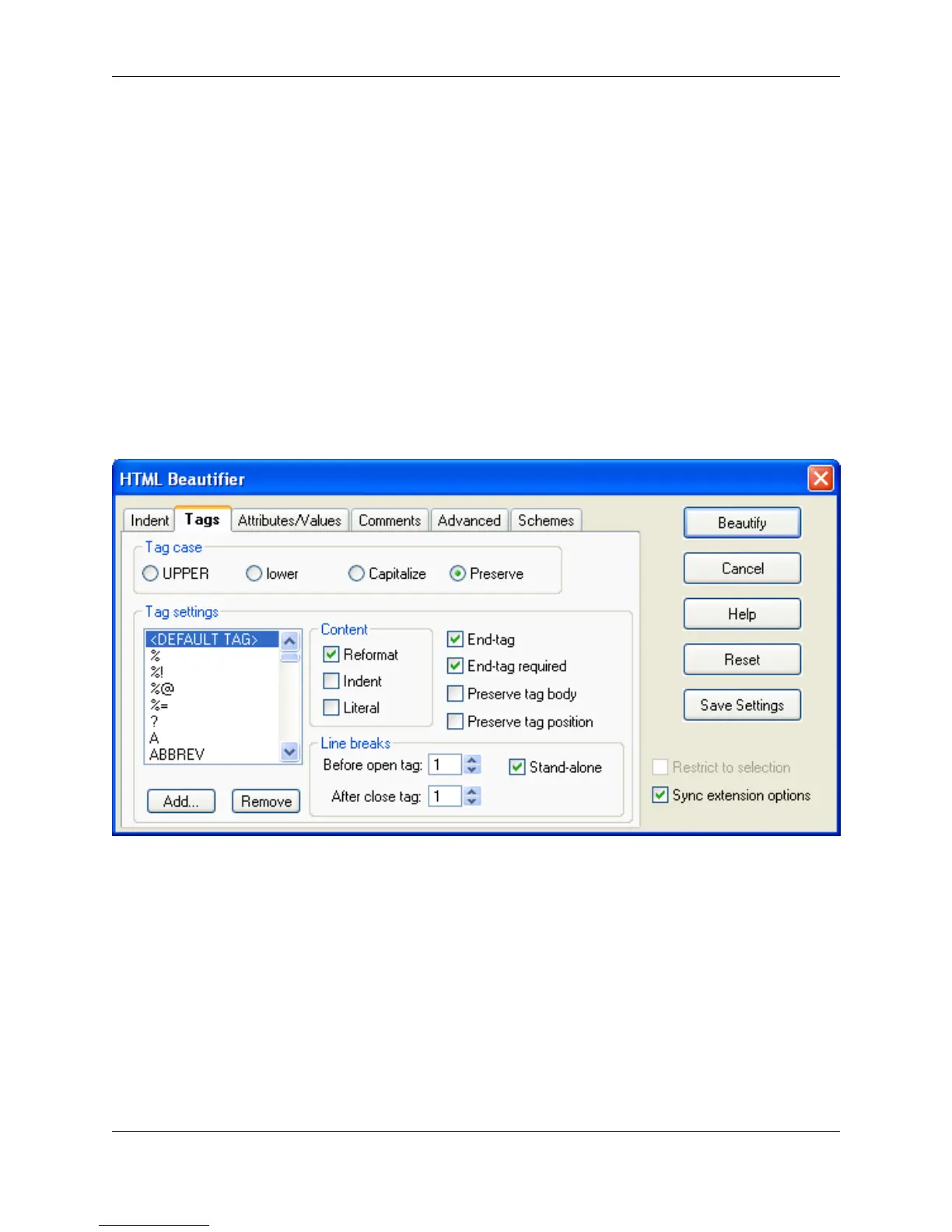
Tags Tab
Figure 7.26. HTML Beautifier: Tags Tab
The Tags tab contains the following options and settings:
• Tag case - Specifies how you want your tag names cased. For example, if you choose UPPER, then
<td> would be beautified to <TD>.
• Tag settings - The settings in this group box apply to the tag that is selected in the list box. The
<DEFAULT TAG> tag item in the list of tags specifies settings to use when no settings exist for a tag
found during beautification.
• Add - Display the Add Tag dialog. This dialog allows you to add a tag definition to the list and specify
how it will be beautified.
• Remove - Used to remove the currently selected tag.
HTML
272



 To Next Page