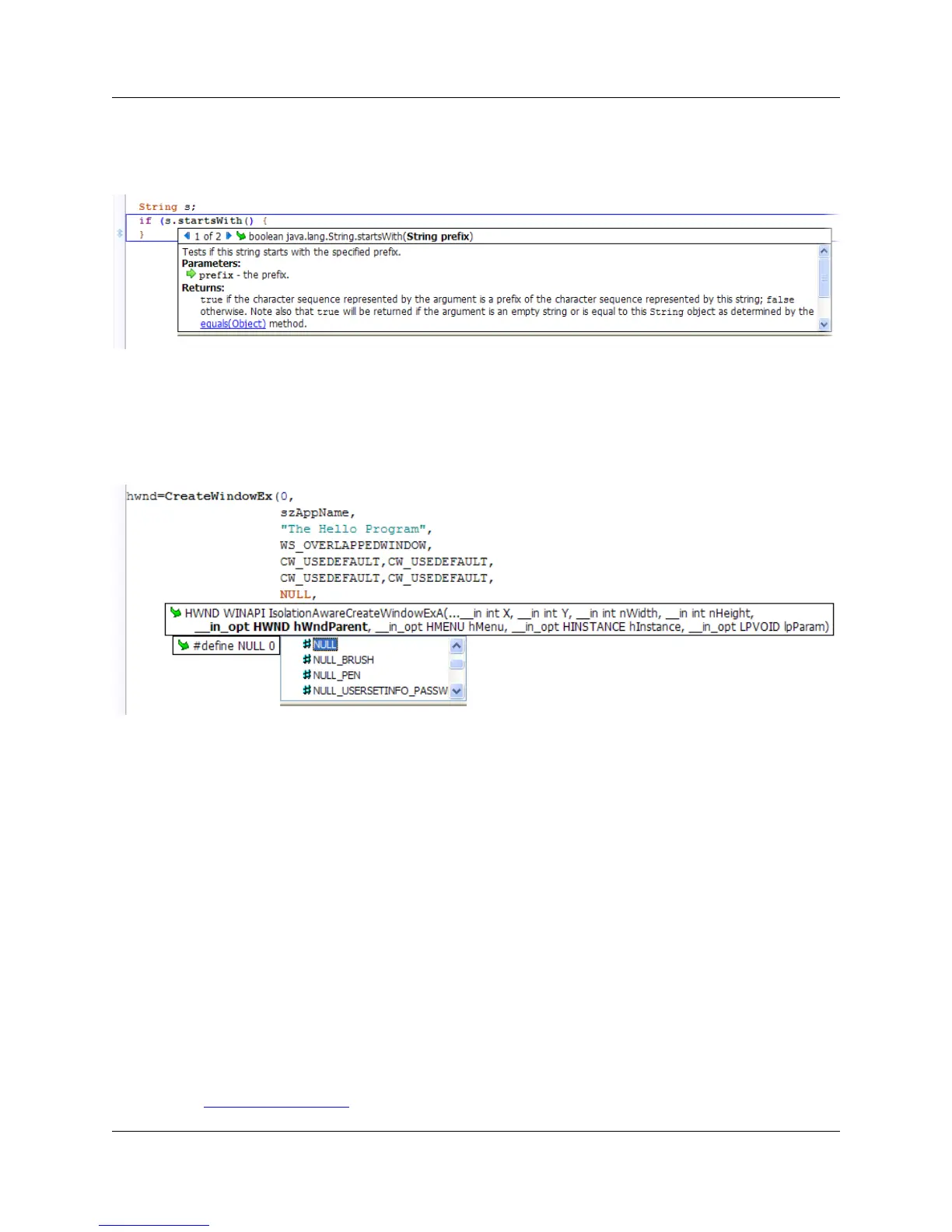
select the next or previous occurrence.
Figure 5.3. Parameter Info: Example 1
The example below shows the result of pressing Alt+Comma inside the argument list of the WIN32 API
function CreateWindowEx.
Figure 5.4. Parameter Info: Example 1
Auto List Compatible Parameters
When typing a function operator such as the open parenthesis, (, a list of compatible variables and ex-
pressions for the current argument is displayed. Auto List Compatible Parameters can also be used in-
stead of List Members, in assignment statements (x=<Alt+Comma>) and when listing members of a
class or struct. Keep in mind, not all possible variables and expressions are listed. Press Alt+Dot if the
symbol that you want is not listed. To access Auto List Compatible Parameters on demand, press
Alt+Comma. If you want to disable automatic listing and only list parameters on demand, turn Auto List
Compatible Parameters off, as follows:
1. From the main menu, click Window → Preferences, expand SlickEdit and click General in the tree,
then double-click the File Extension Setup setting.
2. On the Extension Options dialog, select the extension you want to affect from the Extension drop-
down list.
3. Select the Context Tagging Tab.
Auto List Compatible Paramet-
ers
64



 To Next Page