Key or Key Sequence Operation
End Move cursor to end of line
Home Move cursor to beginning of line
Double-click Select word
Triple-click Select line
Redefining Common Keys
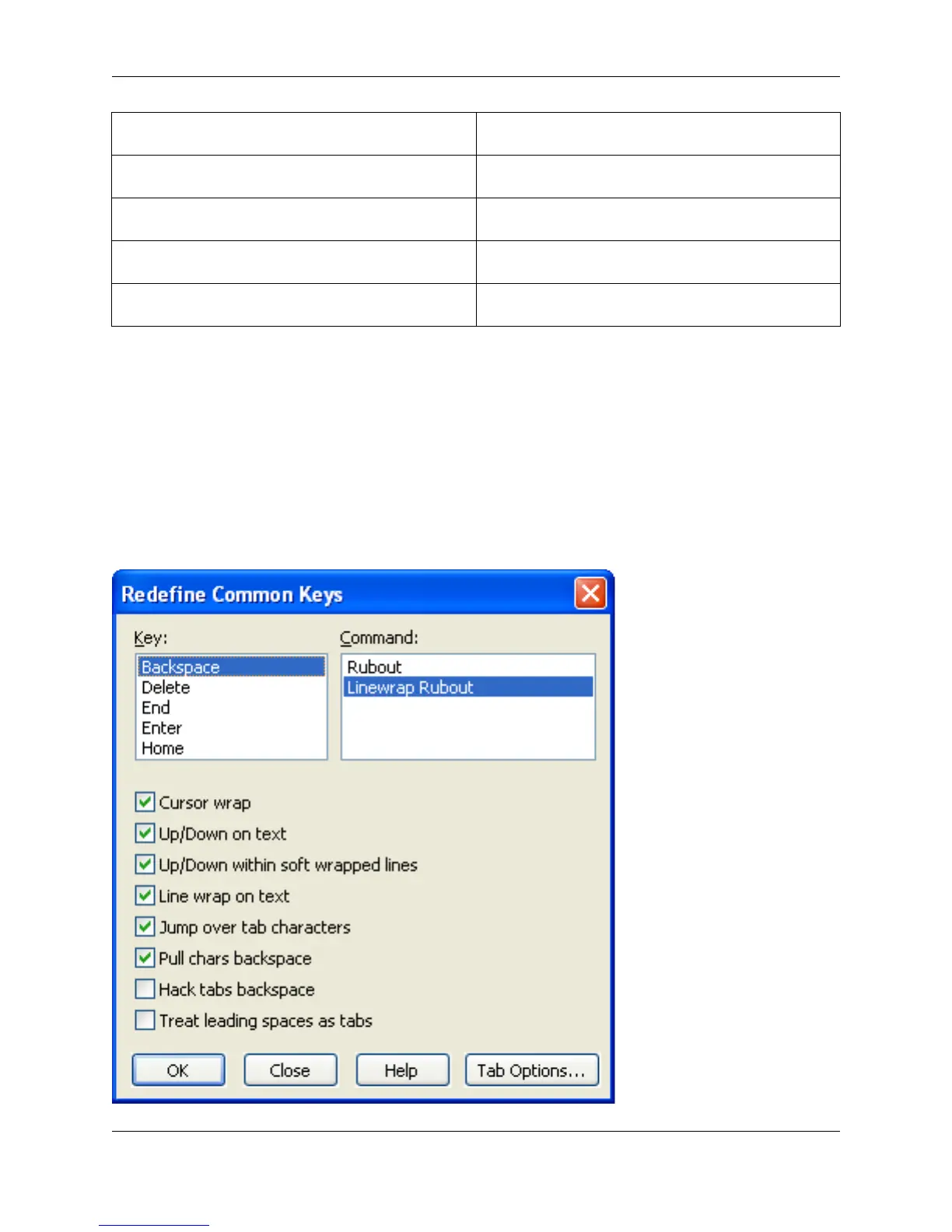
Many users have a preference for the functions of the keys Backspace, Delete, Enter, Tab, and Home.
The Redefine Common Keys dialog is designed for changing the function of these keys. To access this
dialog, from the main menu, click Window → Preferences, expand SlickEdit and click General in the
tree, then double-click the Redefine Common Keys setting.
Figure 3.5. Redefine Common Keys Dialog
Redefining Common Keys
37



 To Next Page