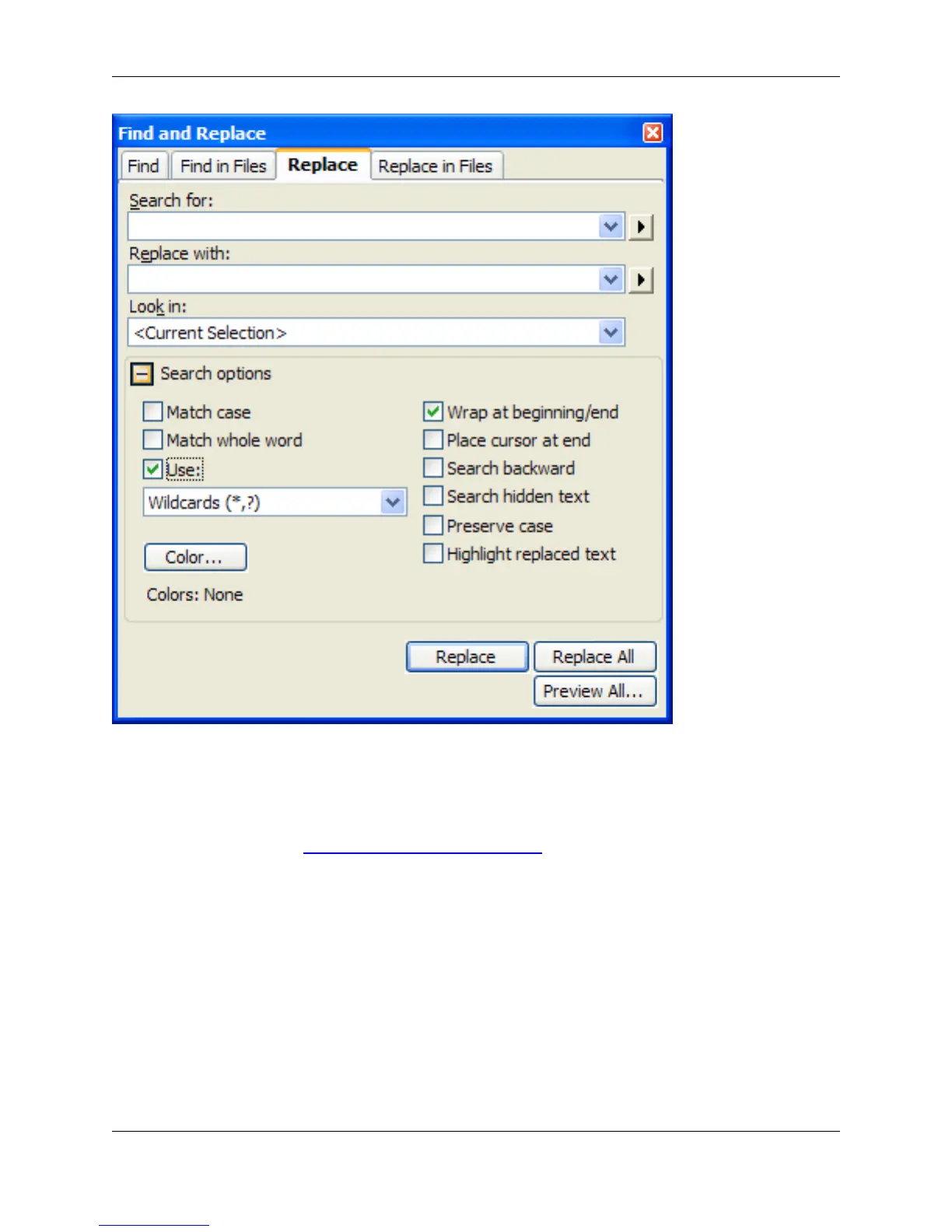
• Replace with - Enter the text or regular expression for which to replace the item that is searched. You
can retrieve previous replacement text or regular expressions by clicking the drop-down list button.
Click the right-pointing arrow button to the right of the Replace with field to display a menu containing
tagged expressions. See Using Tagged Search Expressions for more information.
• Preserve case - Select this option to perform a case-sensitive search and replace operation.
• Highlight replaced text - Select this option to highlight all instances of the text that was replaced.
• Replace button - Click to replace the first instance of the item.
• Replace All button - Click to replace every instance of the item.
• Preview All button - Click to show a side-by-side comparison of the original file and the file with re-
placements made. This lets you see the changes and confirm them before committing the changes to
the file.
Find and Replace View
351



 To Next Page