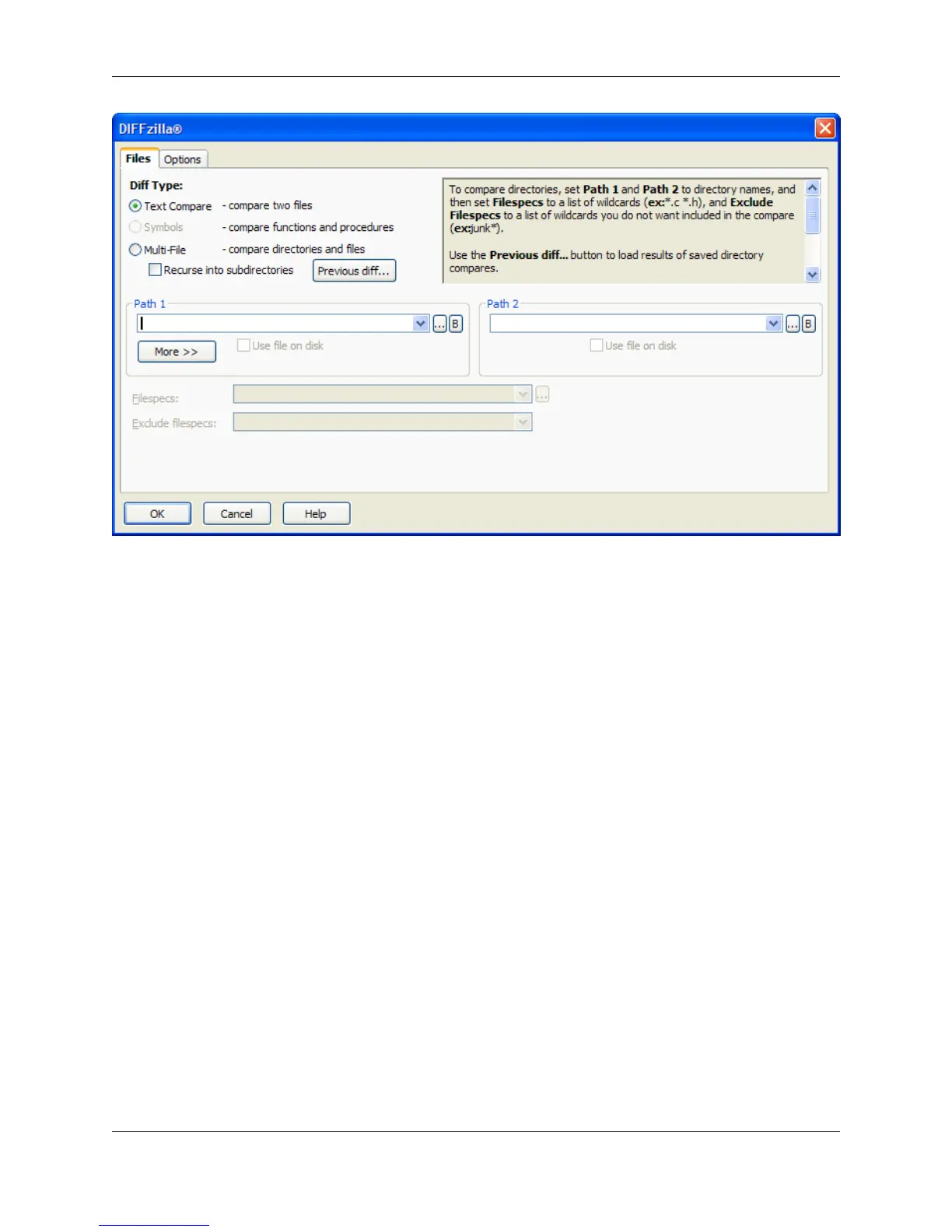
Diff Types
The following Diff types are available:
• Text Compare - Compares two files and shows the differences between them. When this option is se-
lected, after you click OK on this dialog to start the comparison, the interactive Diff dialog is displayed,
allowing you to preview the differences one-by-one before committing.
If the option on the Options tab, Instead of an interactive dialog, output one buffer with the differ-
ences labeled, is checked, a buffer with the differences between the two files marked up will be dis-
played instead.
• Symbols - Allows the selection of a symbol in order to set the Line Range line numbers. Not all symbol
ranges are identified. Ranges for multi-line variable declarations are not identified.
• Multi-File - Compares two directories or directory trees, and shows which files do not match. Select
Recurse into subdirectories to search subdirectories recursively. Click Previous diff to load a diff
state file (.dif), restoring the saved state of a multi-file diff session.
Path Information and Filespecs
The following list describes the path information and filespec settings that can be entered on the
DIFFzilla® dialog:
• Path 1, Path 2 - To compare directories, set Path 1 and Path 2 to directory names. To compare files,
set Path 1 and Path 2 to file names. If the file names only differ by path, you only need to specify a dir-
ectory for Path 2. Click the Ellipses button to browse, or the B button to select an open buffer.
DIFFzilla® Dialog
373



 To Next Page