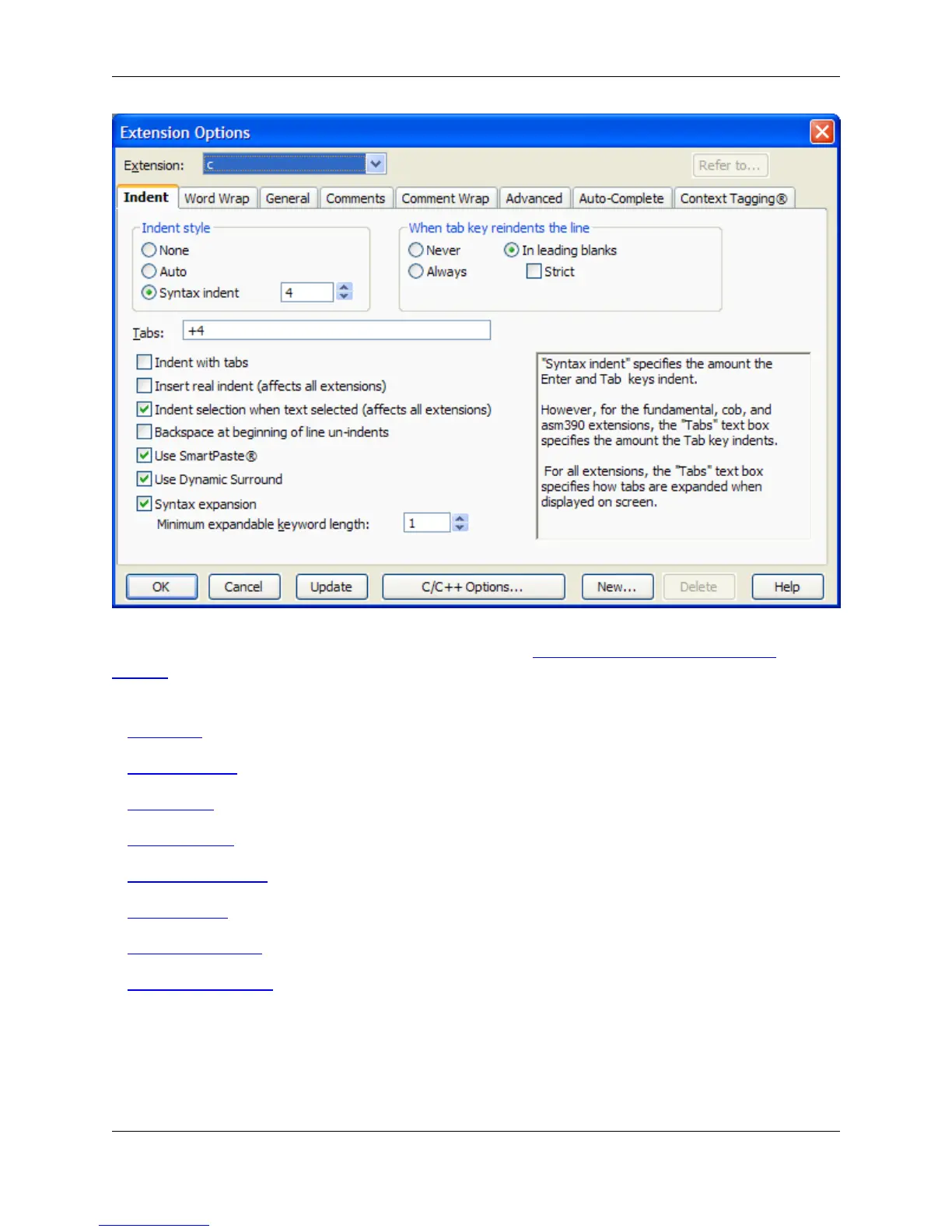
General settings on this dialog box are described below (see Extension Options - General Dialog
Settings). Other options are categorized into the following tabs. Click on an item to go to that section in
the documentation:
• Indent Tab
• Word Wrap Tab
• General Tab
• Comments Tab
• Comment Wrap Tab
• Advanced Tab
• Auto-Complete Tab
• Context Tagging Tab
Extension Options - General Dialog Settings
The following fields and buttons are available on the Extension Options dialog:
• Extension - The Extension drop-down list (located above the tabs) contains a list of pre-loaded exten-
Extension Options Dialog
399



 To Next Page