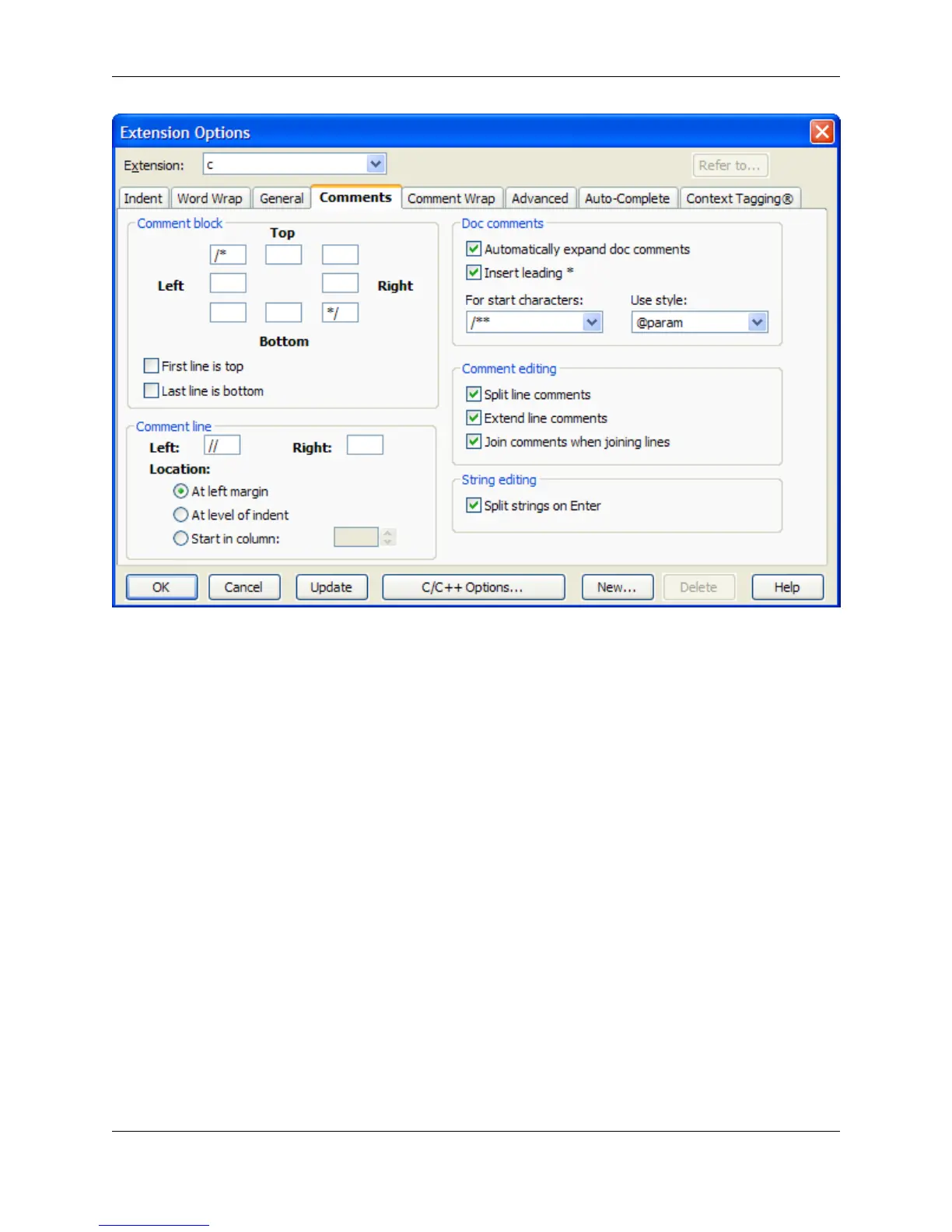
Comment Block
These settings are used when you comment out a selected block of text (Format → Comment Block or
box command). SlickEdit® Core provides eight fields to specify the characters used in your commenting
style. If you want to apply a comment with no additional decoration, fill in the upper-left and lower-right
fields with the characters to begin and end a block comment. To draw a box around the comment, fill in
additional characters in the other fields. For example, you might put an asterisk in each of the other fields
to draw a box of asterisks around the block comment.
SlickEdit Core interprets the contents of these fields literally. If you want the asterisks on the left-hand
side to line up, you need to put a space before the asterisk in the left, middle field. Likewise you would put
a space before the asterisk and slash in the field containing the end of comment characters. Trailing
spaces are ignored on the right-hand fields.
To illustrate, the following code sample is a selection:
if (!enabled) {
tabState = TIS_DISABLED;
}
From the main menu, click Format → Comment Block, and the selection is commented out as follows:
/*
Extension Options Dialog
407



 To Next Page