• Backup Tab
• AutoSave Tab
• File Filters Tab
Load Tab
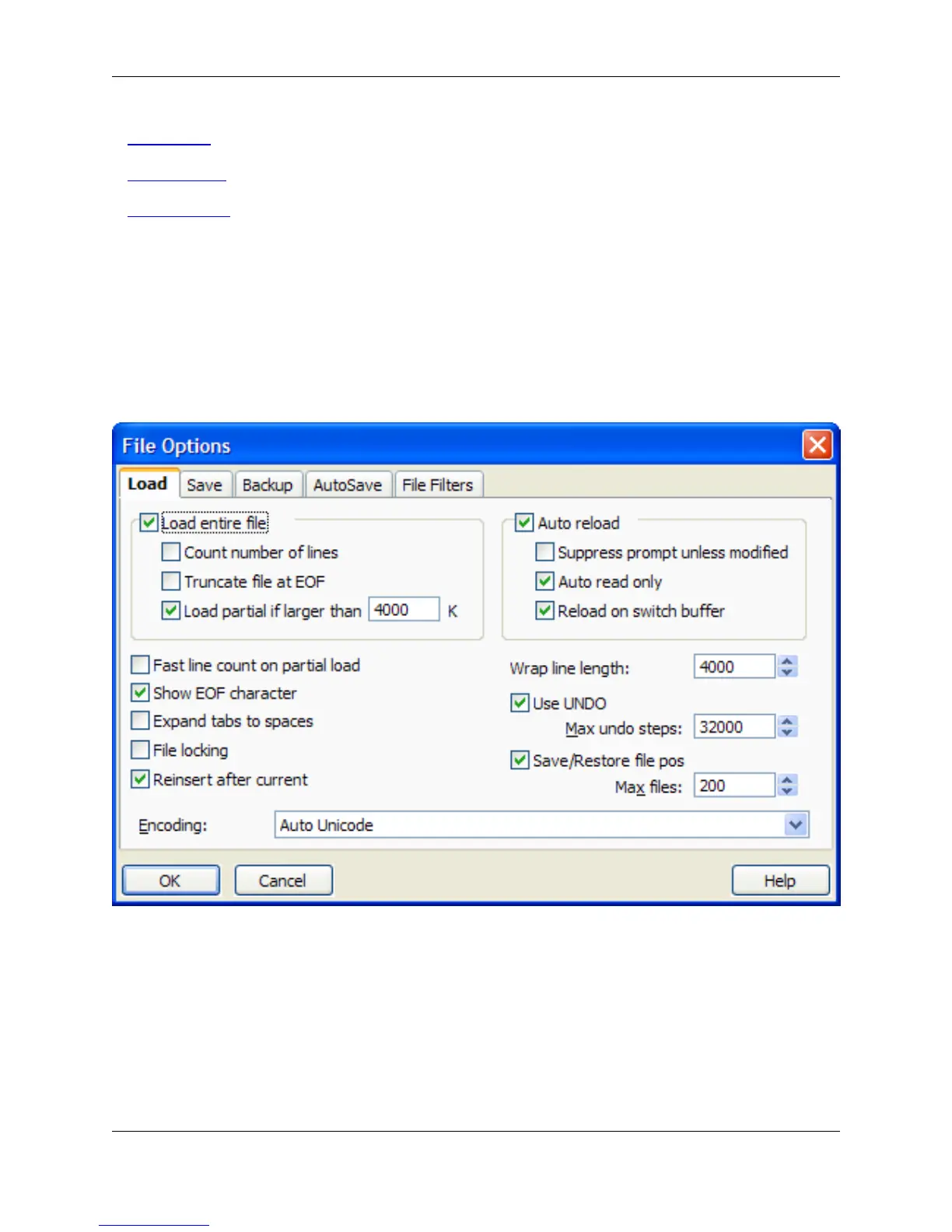
The Load tab, pictured below, offers options to control how files are loaded.
To access the Load tab, click Window → Preferences, expand SlickEdit and click General in the tree,
then double-click the File Options setting and select the Load tab.
Figure 10.41. File Options: Load Tab
The following settings are available:
• Load entire file - When selected, the entire contents of the opened files are read into memory. The line
indicator (located at the bottom right section of the editor) might become blank if the file does not fit in
the editor’s cache (defaults to 2 MB). When this option is not selected, Auto Reload does not work until
the file is saved. If you are using the load command to open files, use the switch +L to specify this op-
tion.
• Count number of lines - When selected, the entire contents of the opened files are read into memory
File Options Dialog
422



 To Next Page