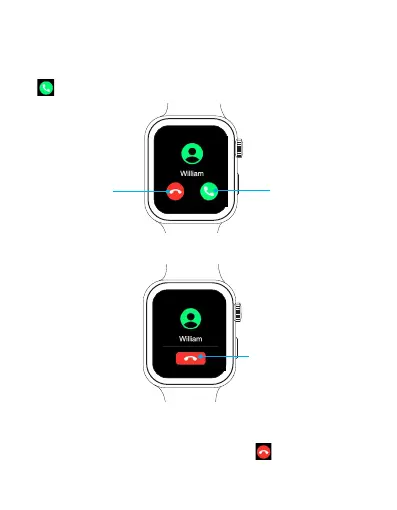
Answer a call: When you hear or feel the call notification,
raise your wrist to see who’s calling. Tap the Answer button
on the screen to talk using the built-in microphone and
speaker.
You can raise or lower the in-call volume on the watch through
your connected device's volume control.
Answering an incoming call
Reject button
Answer button
When you hear or feel the call notification, raise your wrist to
see who’s calling. Tap the Reject button on the screen to
reject the call.
Rejecting an incoming call
End button
EN 17



 To Next Page