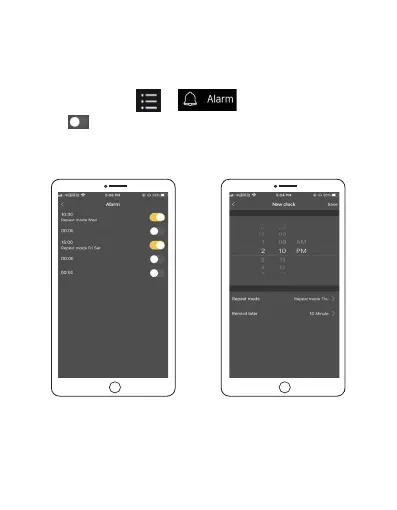
Alarm settings
1. Make sure your watch is connected to your phone and
SLIDE Fitness App. Open the SLIDE Fitness app in your phone
, and tap Health > > to enter alarm settings.
2. Tap to turn the alarm on, and tap Time to edit alarm
settings. Tap Save to save your settings.
You can repeat step 2 to set multiple alarms.
EN 31



 To Next Page