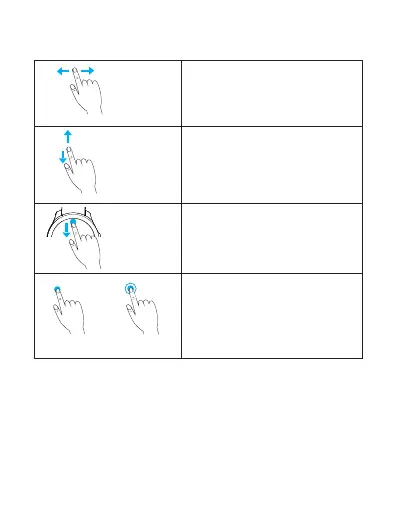
1.Toggle between watch face and
main menu.
2. When using an app, swipe
right to return to previous screen.
Swipe
left/right
Swipe
up/down
Single tap
Touch and hold
Swipe down
from upper
edge of the
screen
Navigate through app list (on
main menu screen).
Display shortcut menu. To hide
shortcut menu, swipe up from
lower edge of the screen (except
the main menu screen).
1. Single tap to select and confirm.
2.Touch and hold on the watch
face to switch the style.
Touch gestures
EN 6



 To Next Page