Bluetooth Camera
The Camera app in the watch allows you to remotely take
pictures through your phone’s camera.
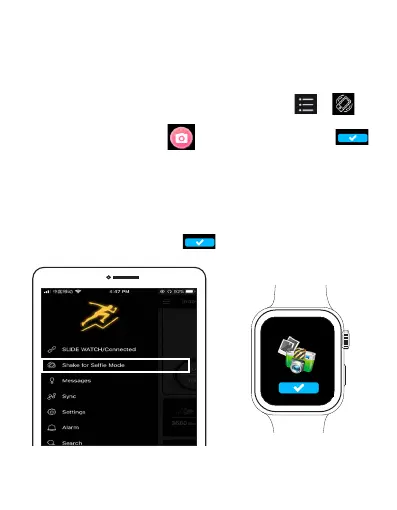
1. Adjust the position and angle from your phone to set
up your picture. Open SLIDE Fitness app, and tap >
to enable the Bluetooth camera feature.
2. Open the Camera app in the main menu and tap
button to start taking photos from your phone remotely. You
can view the photos in your phone.
Note: To use Bluetooth camera, make sure the watch has been
successfully paired with your phone and SLIDE Fitness app,
and keep your phone in the Bluetooth Camera screen of the
SLIDE Fitness app, then tap to take photos.
EN 27



 To Next Page