MN.00273.E - 004 71
• it introduces an agreement between the two LACP peers before the staring of data transmission over
the trunk. This prevent anomalous behaviour in case of cabling or configuration mistakes.
LACP works by sending frames (LACPDUs) over the links belonging to the trunk. Also the equipment de-
ployed on the other end of the trunk will send LACP frames over the same links: this enables the two units
to establish the trunk. LACP can be configured two modes: active or passive. In active mode it will always
send frames along the configured links. However, in passive mode it acts as “speak when spoken to” and
therefore it can be used as a way of controlling accidental loops (as long as the other device is in active
mode). SIAE switch implements an “active” LACP.
A Line Trunk can aggregate up to 2 LAN interfaces with the following restrictions:
• all the LAN interfaces must be defined with the same speed (either 10, 100 or 1000 Mbit/s)
• all the LAN interfaces must be set in Full Duplex mode
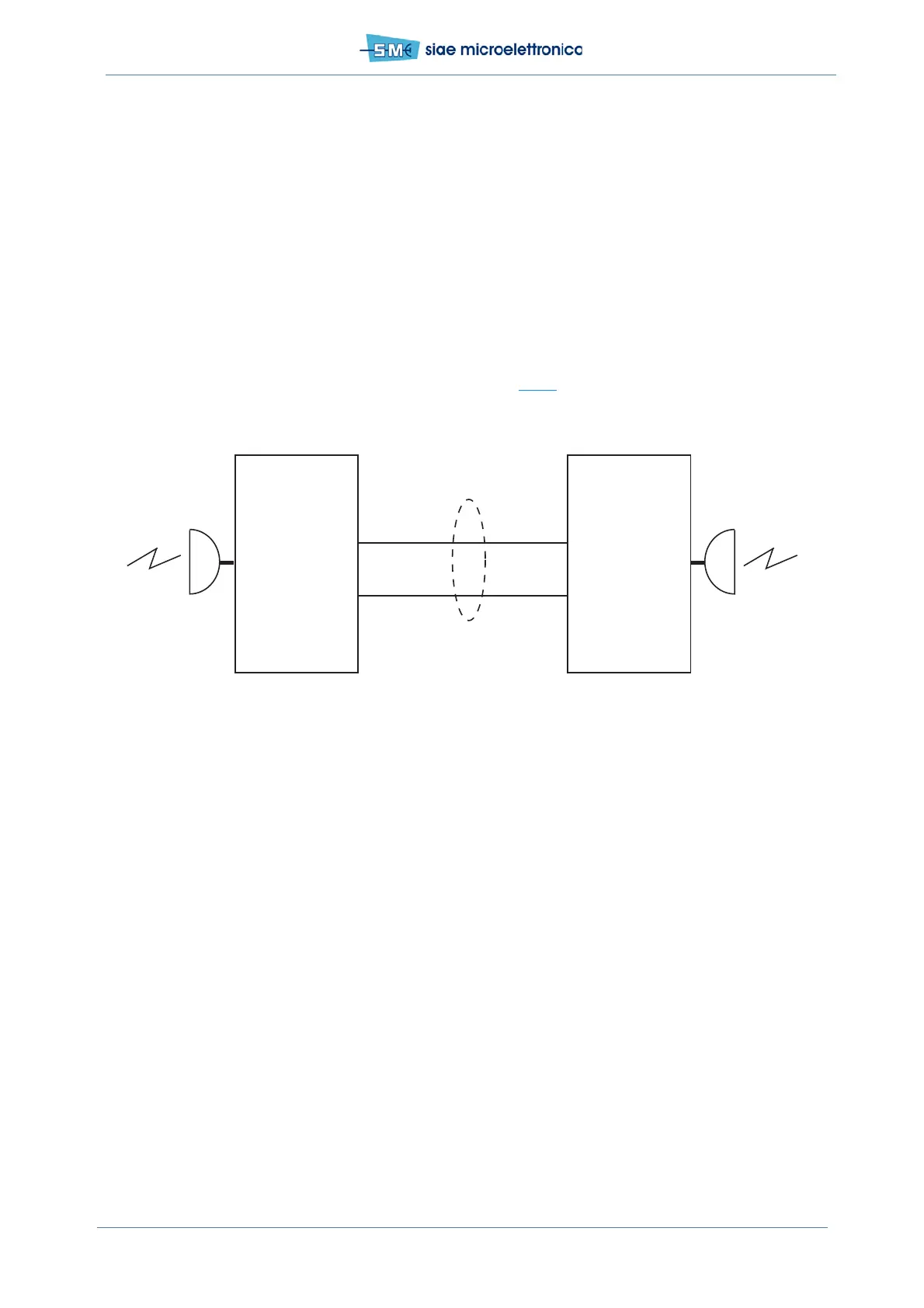
When a Trunk is defined on SIAE switch, the end-to-end traffic is transmitted over all the aggregated lines.
As a result, the overall capacity of the trunk can be theoretically equal to the number of aggregated lines
multiplied by the capacity of a single line. In the example of Fig.25
, two full duplex - 1Gbit/s connection
are grouped into the same trunk, carrying all the capacity in transit from a radio link to another. In this
configuration, the line aggregation is used as line protection, although it can transport 2 Gbit/s capacity.
Fig.25 - Line trunking
To enable the Link Aggregation on both interfaces (LAN1 and LAN2), select the group “Enable - Trunk1” or
“Enable - Trunk2” in Web Lct - STP/ELP trunking menu.
Line Protection through distributed ELP
ELP (Ethernet Line Protection) is a feature available on SIAE switch that allows to protect a GE interface
against cable failure or accidental disconnection. With ELP it is possible to connect a switch to another net-
work element by using two GE interfaces. Both interfaces are active but just one is enabled to forward and
receive traffic (forwarding state), while the other does not allow any traffic to pass (blocking state). If the
forwarding interface goes down, the other one passes to the forwarding state. The maximum switching
time is around 900msec. This feature does not imply the use of any protocol, but is simply based on the
status of the physical interfaces. As a consequence, no particular protocol support is required on the con-
nected equipment: it is simply required to enable the two GE interfaces.
It is recommended to disable any Spanning Tree protocol on the external equipment: this could cause long-
er traffic recovery times.
To enable the Ethernet Line Protection on both interfaces (LAN1 and LAN2), select the group “Enable -
Prot1” or “Enable - Prot2” in Web Lct - STP/ELP trunking menu.
LAN1 1 Gbit/s
1 Gbit/sLAN2
LAN1
LAN2
Line
trunking
2 Gbit/s
ALFOplus
ALFOplus



 To Next Page