TP303 – Operation, Maintenance and Instructions Manual
3.20
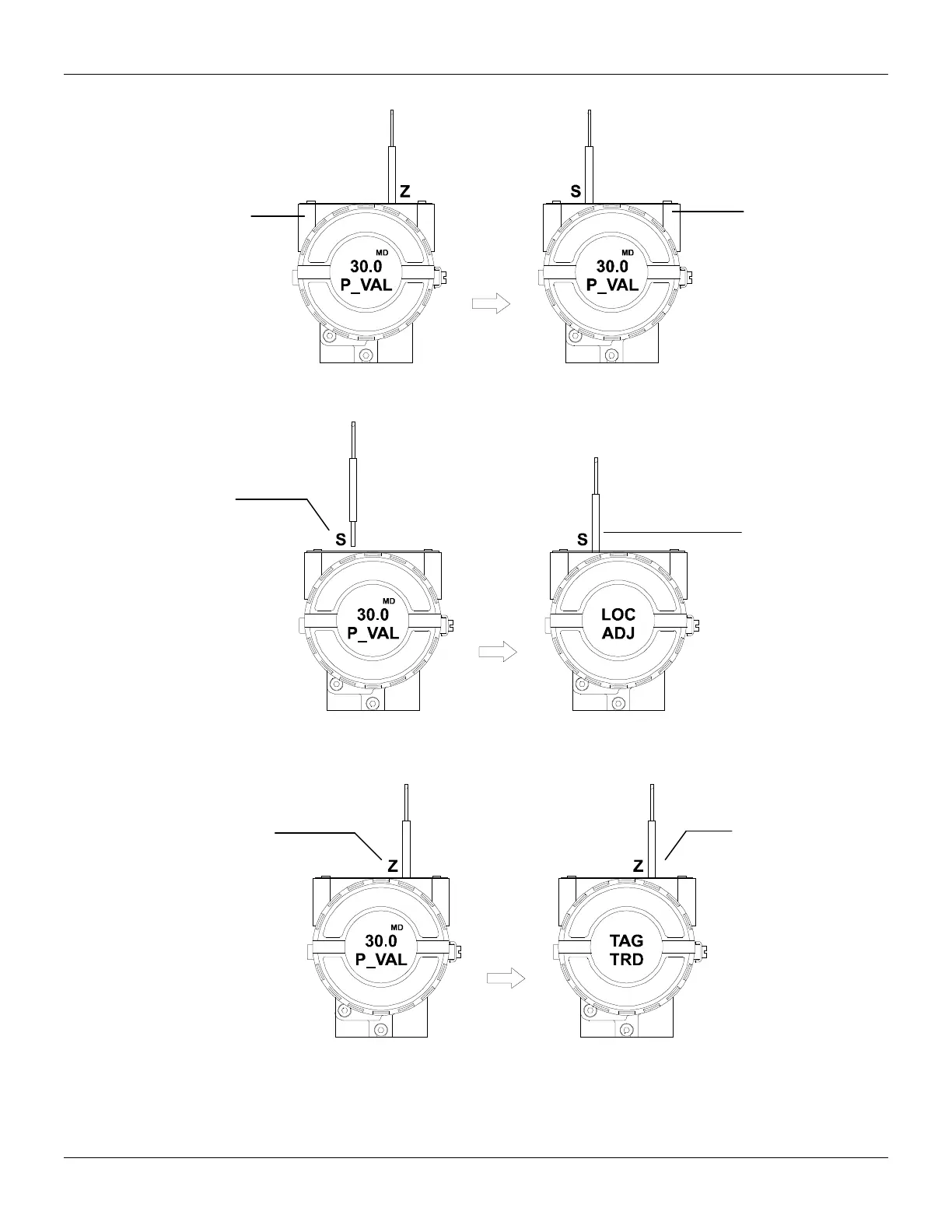
Figure 3.21 – Step 1 – TP303
Figure 3.22 – Step 2 – TP303
Figure 3.23 – Step 3 – TP303
In order to start the local
adjustment, place the
magnetic tool in orifice Z
and wait until letters MD
are displayed.
Place the magnetic tool in
orifice S and wait during 5
seconds.
tool from orifice S.
tool in orifice S
once more and
LOC ADJ should
be displayed.
Place the magnetic tool in
orifice Z. In case this is
the first configuration, the
option shown on the
display does the
configuration tool
configure that the tag with
its corresponding
mnemonic. Otherwise, the
option shown on the
display will be the one
configured in the prior
operation. By keeping the
tool inserted in this orifice,
the local adjustment menu
will rotate.
first variable
(P_VAL) is
showed with its
respective value (if
you to want that it
keeps static, put
the tool in S orifice
and stay there.



 To Next Page