4| INSTALLING YOUR SMART BOARD 685IX PREMIUM INTERACTIVE
WHITEBOARD SYSTEM
CAUTION
• If you need to lean your interactive whiteboard against a wall before you
mount it, make sure that it remains in an upright position, resting on its pen
tray brackets, which are designed to sustain your interactive whiteboard’s
weight.
• Do not rest your interactive whiteboard on its side or on the top of its frame.
Installing the projector mount and wall mount bracket
To install the projector mount, use the screws labeled f (×7) shown on page 27 of the
FUWM-600 Computer installation guide.
To install the projector
mount
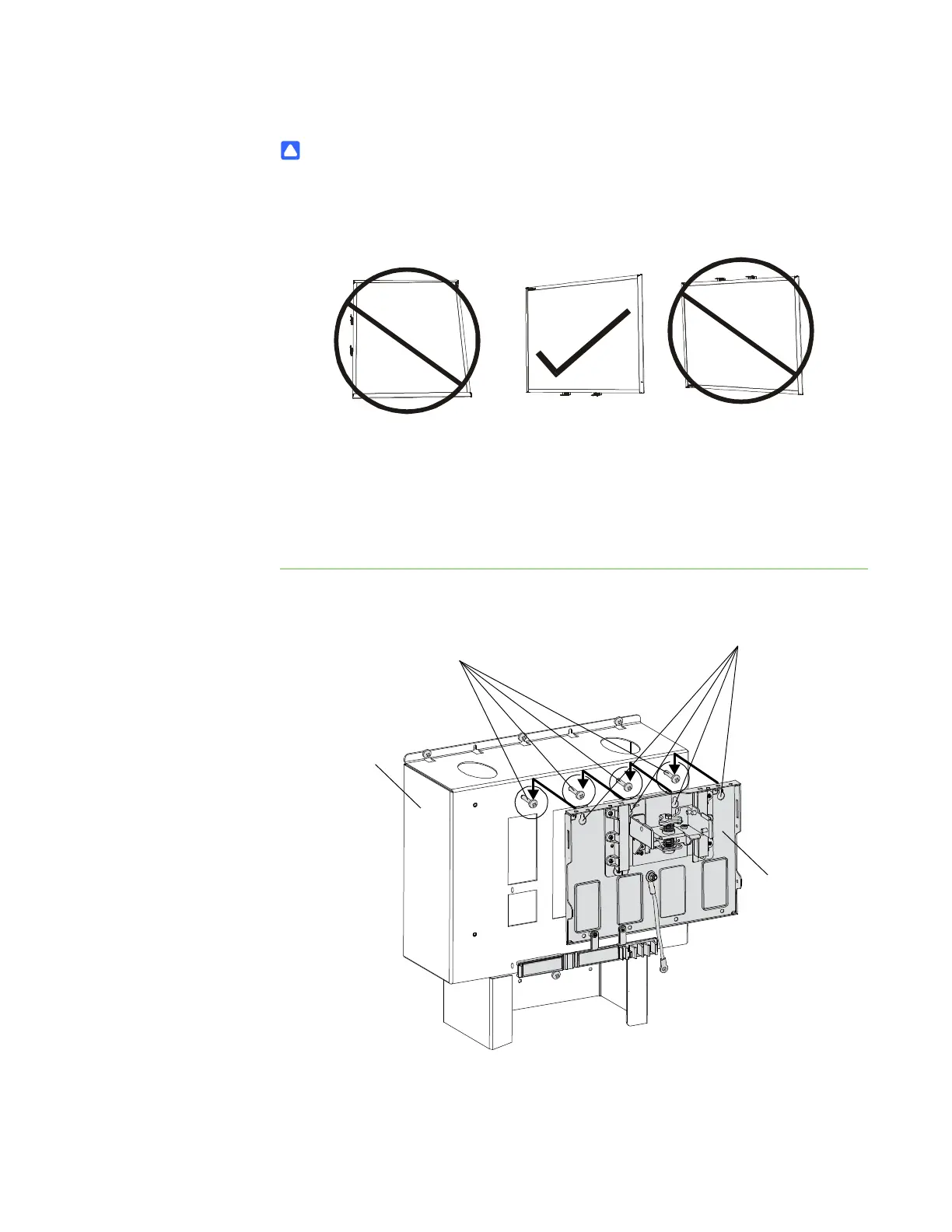
1. Using a Phillips No. 2 screwdriver, insert four screws into the four top-right holes
of the projector support leaving the screw heads 1/4" (6 mm) from its surface.
2. Place the projector mounting plate keyholes over the screws, and then tighten
the screws.
Projector
Mounting
Plate
Screws (×4)
Keyholes (×4)
Projector
Support



 To Next Page