12 | INSTALLING YOUR SMART BOARD 685IX PREMIUM INTERACTIVE
WHITEBOARD SYSTEM
Securing the cables
Before you mount the interactive whiteboard on the wall mount, secure the cables to
prevent strain on connectors and to keep excessively long cables hidden behind the
interactive whiteboard.
To secure the cables Using the included cable ties, secure all the cables to points inside the wall mount
frame, ensuring that they don’t interfere with the interactive whiteboard when it’s
mounted on the frame.
Mounting the interactive whiteboard
Follow this procedure to mount your SMART Board 685 interactive whiteboard on the
FUWM-600.
To mount your
interactive whiteboard
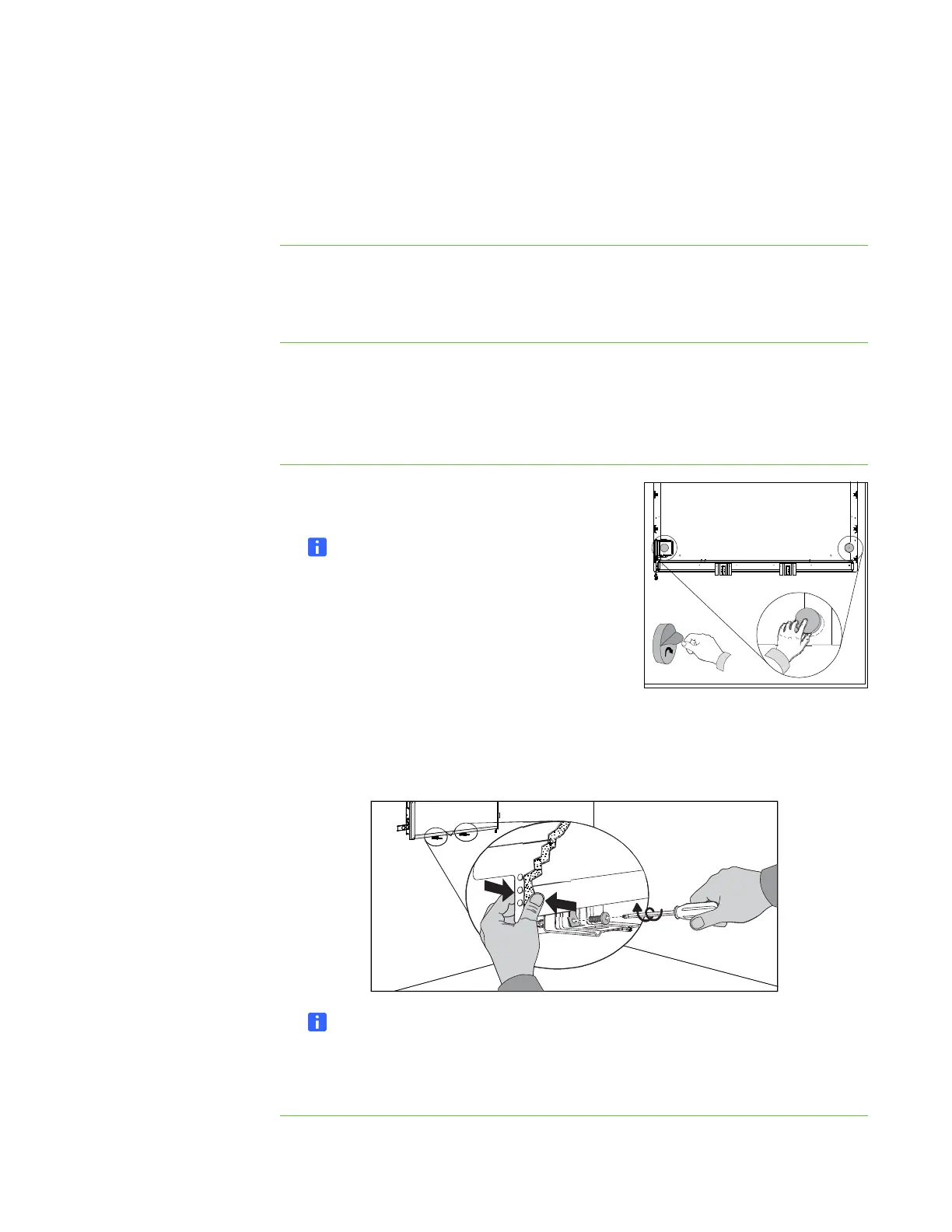
1. Attach the round spacers to the back of the
interactive whiteboard.
NOTE
The round spacers are provided with the
FUWM-600.
2. Verify that no cables or hardware that can
interfere with the wall mount are attached to the
back of the interactive whiteboard.
3. With the help of another person, hang your
interactive whiteboard on the wall mount near the center of the bracket.
4. Using a Phillips No. 2 screwdriver, insert a bolt through the left pen tray bracket
into the left captive nut in the wall mount. Repeat with the right pen tray bracket.
NOTE
Don’t tighten the bolts at this time. Leave them loose so that you can slide the
interactive whiteboard sideways to align it with the projector’s image. See
Aligning your interactive whiteboard with the projector on page 13.



 To Next Page