11 | INSTALLING YOUR SMART BOARD 685IX PREMIUM INTERACTIVE
WHITEBOARD SYSTEM
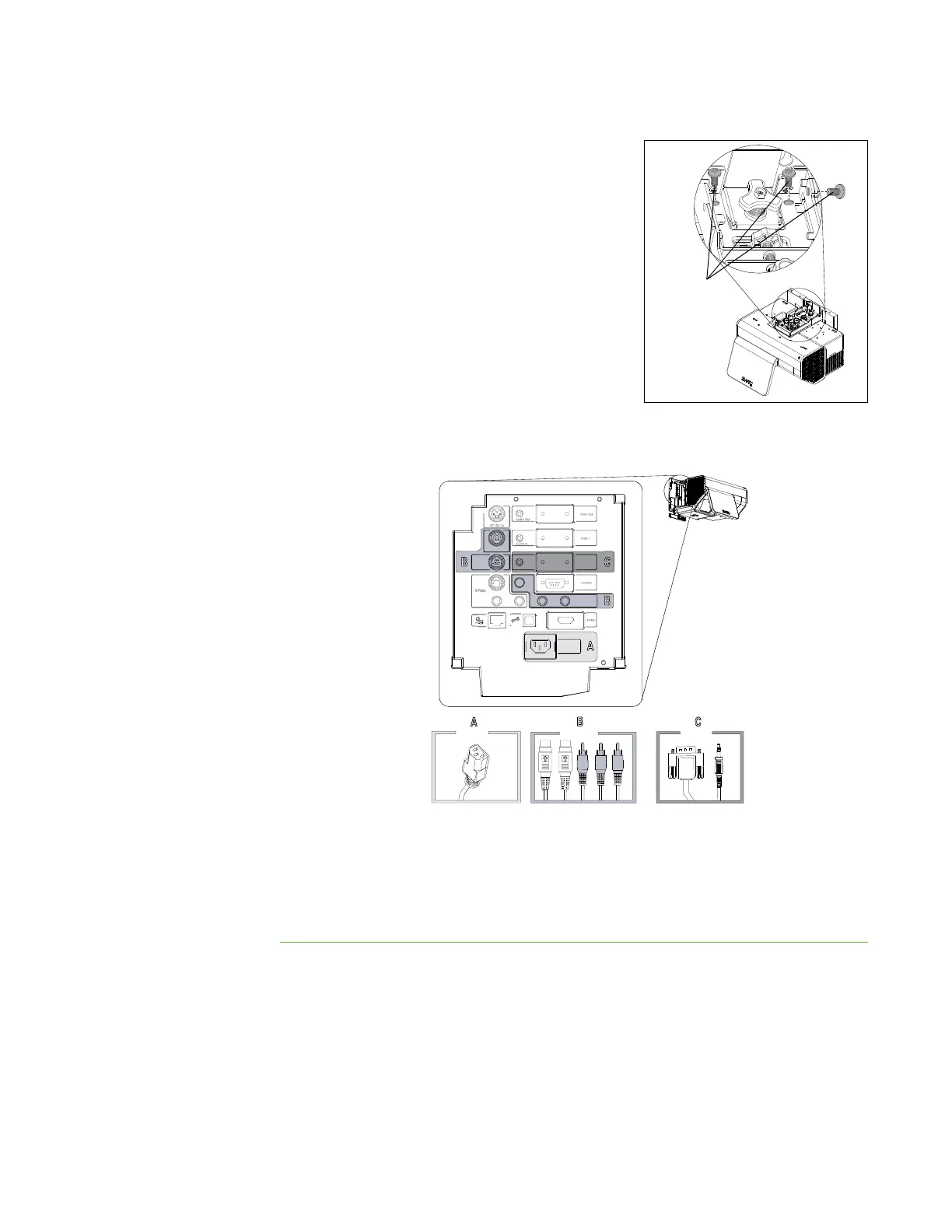
2. Using a Phillips No. 2 screwdriver, safely
secure the system using three locking screws.
3. Remove the cover from the left side of the
projector.
4. Connect the five ECP cable connectors, the two guest computer harness
connectors and the power cable to the projector connection panel.
5. Connect the computer’s video and audio cable to the VGA 1 inputs.
6. Connect the SBA speaker audio cable to the Audio Out connector, and then
connect any other optional cables.
7. Replace the cover.
VGA 2
Audio In
Composite Video
ECP
DC 5V 2A
100V - 240V
50 Hz - 60 Hz



 To Next Page