7| INSTALLING YOUR SMART BOARD 685IX PREMIUM INTERACTIVE
WHITEBOARD SYSTEM
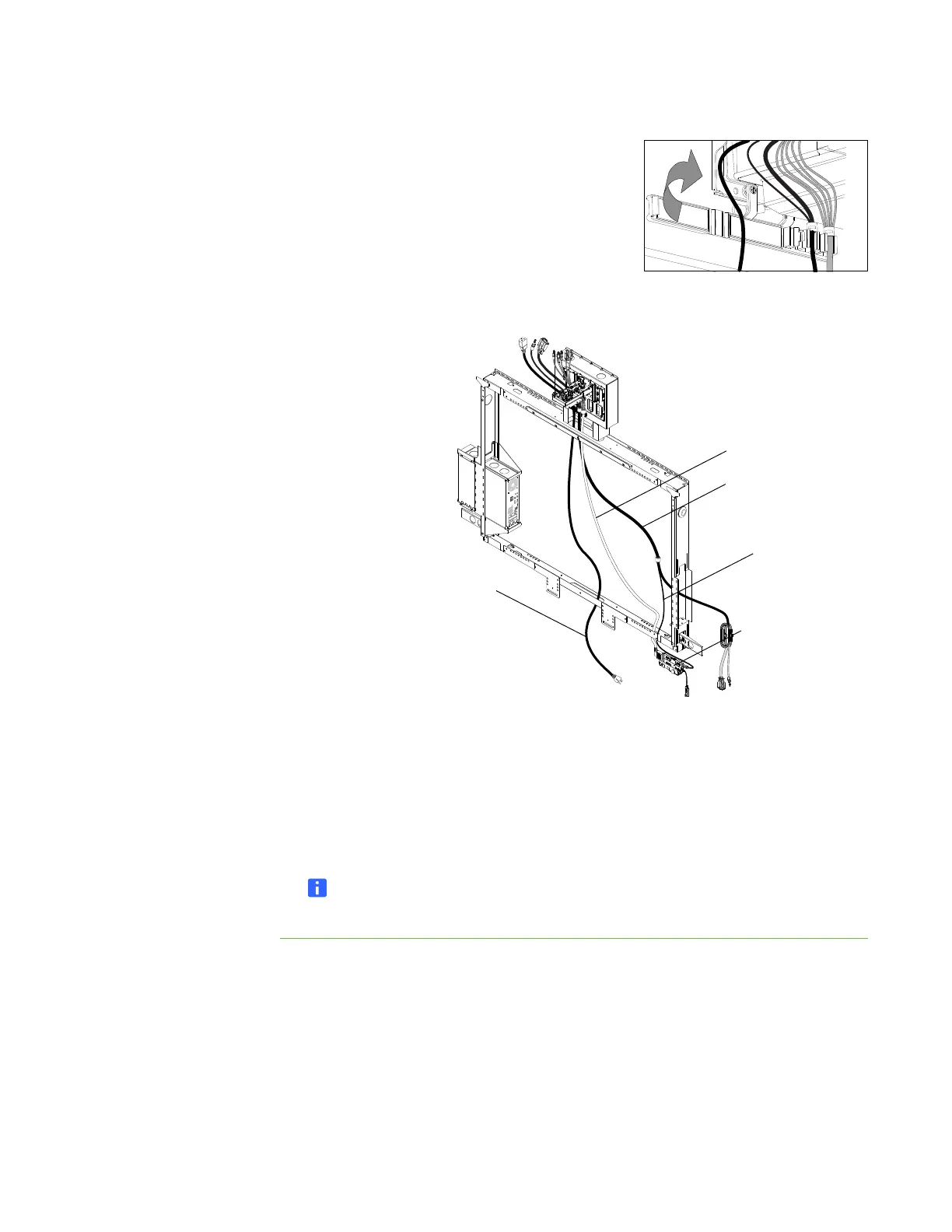
3. Close the wire management clip.
4. Route the ECP cable through the opening in the lower right of the bottom frame of
the wall mount, and then connect it to the ECP.
5. Route the USB cable of the guest computer harness through the opening in the
lower right of the bottom frame of the wall mount, and then connect it to the ECP.
6. Route the guest computer harness through the opening in the right side of the
wall mount.
7. Route the projector’s power cable through an opening in the bottom or side of the
wall mount closest to your wall outlet.
NOTE
Don’t connect the power cable to a wall outlet at this time.
ECP Cable
ECP
Guest Computer
Harness
Power Cable
USB Cable



 To Next Page