TESTING
The 44-800 incorporates a short-cycle timer which can be disabled during testing by setting
slide switch 3 to the ON position. Once testing is completed, the timer needs to be re-
initiated by setting the switch to OFF.
TESTING FAN OPERATION
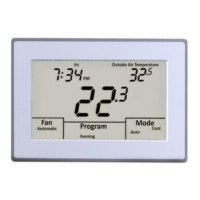
Touch MODE until the word OFF is displayed. Touch FAN until the words Always On
appear. After a brief moment, the internal fan relay ‘G’ will energize and the system fan
should operate. Touch FAN again until the word Automatic appears. After a brief moment,
the internal fan relay will de-energize and the system fan will shut off.
TESTING CONVENTIONAL HEATING AND COOLING OPERATION
Touch MODE until the word Heat appears. Touch the UP arrow and raise the set point a
few degrees above the space temperature. After a brief moment, the internal heating relay
‘W’ will energize and the heating system should operate. The word Heat will flash
continuously. If the thermostat has been configured for two stage heating, raise the set
point a few degrees and the second stage heating relay ‘A’ will energize. Heat will flash
twice, pause and repeat the sequence to indicate second stage has been energized.
52


 To Next Page