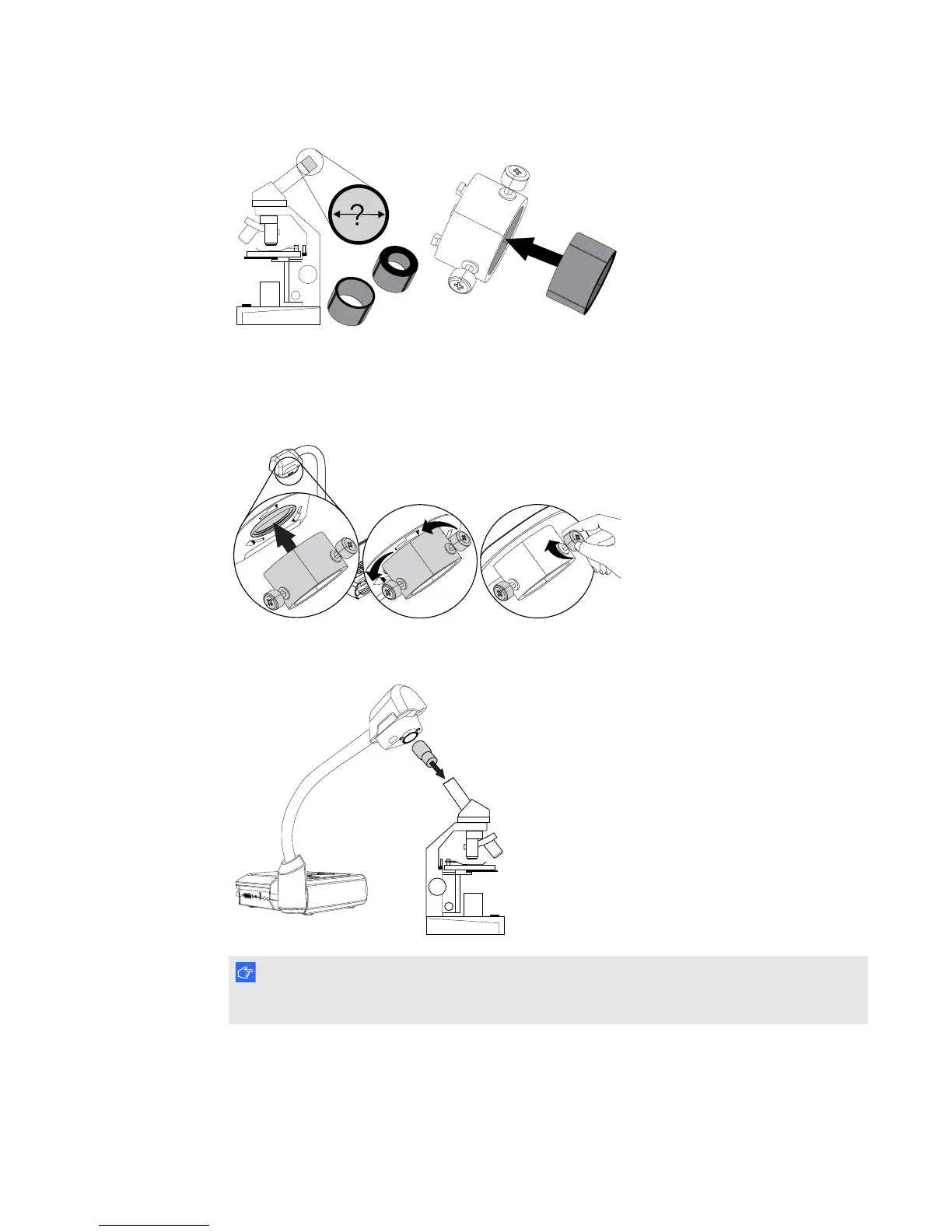
2. Attach the microscope adapter to your document camera's camera head, and then connect it to
your document camera.
3. Tighten the three bolts until the adapter secures the eyepiece.
4. Fit the camera head with the microscope adapter over the microscope's eyepiece.
I M P O R T A N T
Make sure the arrow on the camera head and microscope adapter are on the same side.
5. Turn the microscope adapter counterclockwise to line up the arrows and lock the microscope
adapter in place.
C H A P T E R 2
Setting up your SMARTDocumentCamera
17



 To Next Page