D
Transmission display
E
Cruise control, limiter
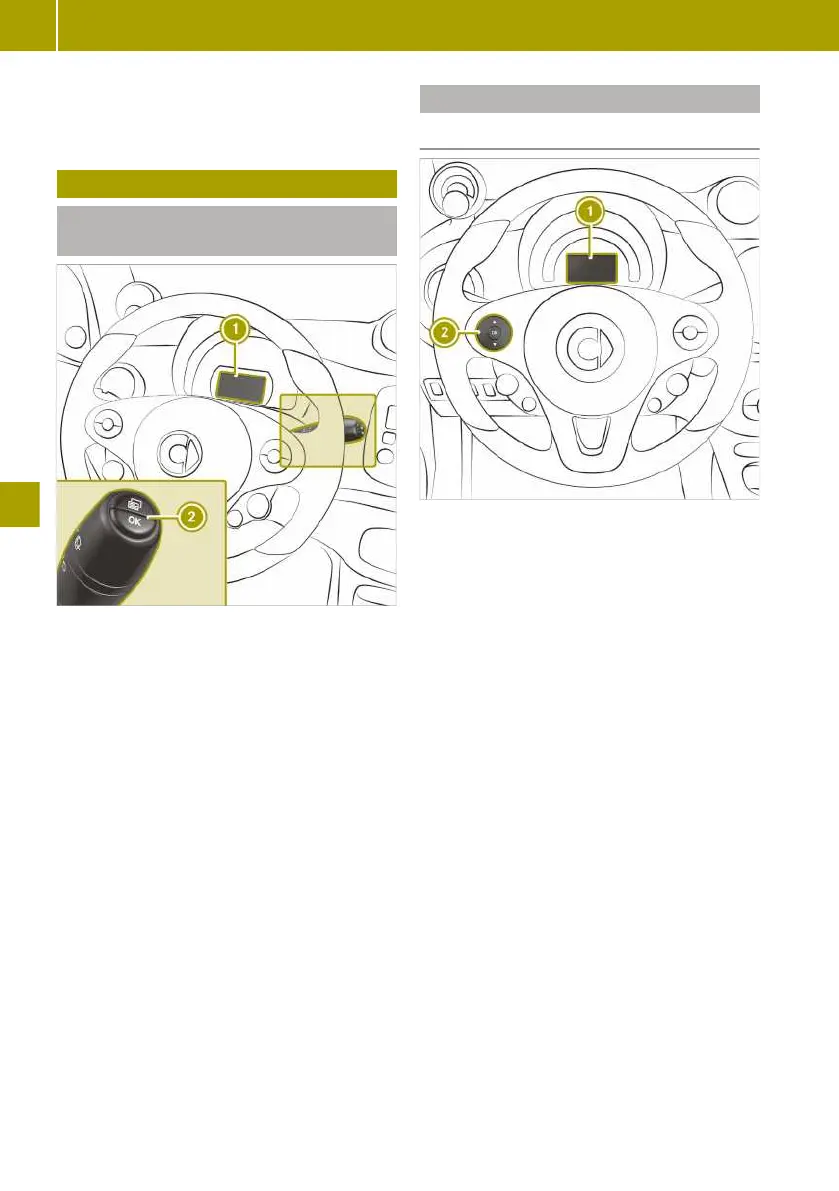
Calling up displays
Calling up displays (monochrome dis-
play)
:
Monochrome display
;
Buttons on the multifunction lever
X
To scroll forward at menu level, briefly
press the ´ button on multifunction
lever.
X
To directly call up the trip meter, press
and hold the ´ button on multifunc-
tion lever.
X
Press and hold a on the multifunction
lever to reset the values.
The following displays can be called up one
after another:
R
trip meter
R
remaining range
R
service due date
R
setting the time
R
activating/deactivating Active Brake
Assist
R
restarting the tyre pressure monitor
Calling up displays (colour display)
Calling up displays
:
Colour display
;
Left control panel
X
Briefly press 9 or : on left control
panel ;, to scroll forwards or backwards.
X
Press and hold 9 or : on left con-
trol panel ;, to directly call up the Dis‐
tance display.
The following displays can be called up one
after another:
R
Distance
R
Trip computer from start
R
Trip computer from reset
R
eco score from start
R
Energy consumption bar chart
R
Energy flow
R
Pre-heat/cool and charge
R
Messages and service
R
Settings
R
Digital speedometer
110
Calling up displays
>> Operating the on-board computer.















 To Next Page