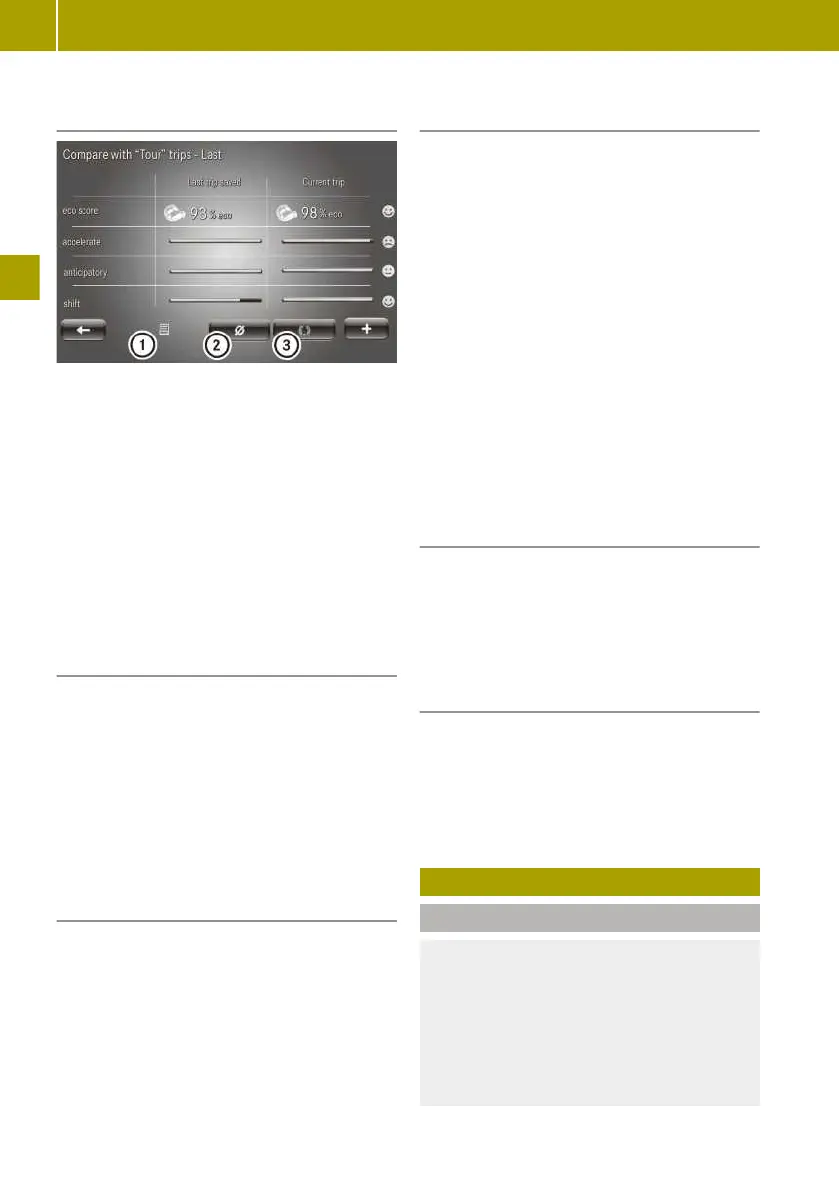
Comparing the current trip with the
saved trips from a category
:
Last trip saved in this category
;
Average value for the category
=
Best trip in the category
X
Select Current trip > W > Compare.
X
Select a category.
A comparison of the values for the cur-
rent trip with the values of the selected
category appears.
X
Select comparison value :, ; or =.
The current trip is compared to the
respective comparison value from the
category.
Resetting the current trip data
X
Select Current trip > Reset.
X
Select Yes.
In the instrument cluster, the trip com-
puter values will be returned to "From
reset".
In the instrument cluster, the values for
the "From start" trip computer and eco
score display will be reset.
Activating/deactivating eco score after
a trip
X
To activate: select Current trip > W >
Show eco score after trip.
X
To deactivate: select Current trip >
W > Hide eco score after trip.
Displaying eco score for saved trips in a
category
X
Select Vehicle > eco score > My prefer‐
red trips.
X
Select a category.
eco score displays the comparison values.
eco score contains the following compari-
son values for each category:
R
Summary
R
Last value
R
Average value
R
Best value
For the category Last trip saved you
can choose from various types of evalua-
tions.
Types of evaluations:
R
Summary
R
Detailed report
Renaming an eco score category
At least one trip must be stored in the
respective category.
X
Select Vehicle > eco score > My prefer‐
red trips > W > Rename this cate‐
gory.
Resetting the eco score of a category
At least one trip must be stored in the
respective category.
X
Select Vehicle > eco score > My prefer‐
red trips > W > Reset this cate‐
gory.
Braking correctly
Please note
G
WARNING
The braking system can overheat if you
leave your foot on the brake pedal while
driving. This increases the braking dis-
tance and could even cause the braking
system to fail. There is a risk of an acci-
dent.
76
Braking correctly
>> Driving.















 To Next Page