CHAPTER 4
USING THE INTERACTIVE WHITEBOARD
16 smarttech.com/kb/170410
Select light state Meaning
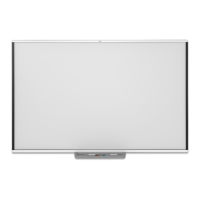
Flashing white The interactive whiteboard is receiving power and is
communicating successfully with the computer’s USBHID
driver, but SMART Product Drivers isn’t installed.
NOTE
In HID mode, interactive whiteboard tools such as the pens
are unavailable, but you can move the mouse pointer and
perform mouse functions by touching the interactive surface.
The Right-Click button on the pen tray might work,
depending on the version of operating system you’re using.
Neither the Keyboard nor the Orient button works in HID
mode.
Solid white The interactive whiteboard is receiving power and is
communicating successfully with SMART Product Drivers.
When you press another pen tray button, the Select button’s
light turns off and the light on the button you pressed turns on.
Solid amber The controller module is in service mode or the firmware is
being updated.
Off You have selected a non-standard digital ink color using
SMARTNotebook software or SMARTInk, the interactive
whiteboard isn’t receiving power or the interactive whiteboard
is in Standby mode.
If you’re using a pen tray with projector controls, the SMART or
Epson for SMART projector might not have activate the USB
source switch in the pen tray. Make sure the projector’s USB
port mapping setting is set to turn on the correct USB port on
the pen tray for the selected video source.
NOTE
If all pen tray lights are lit, see Resolving issues using the pen tray status light on the SMART
Board M600 interactive whiteboard.
Customizing the pen tray buttons
You can customize the pen tray button settings. For example, you can change line transparency,
color and style; you can change the width of the eraser; and you can change the Keyboard and
Right-Click button settings so that they perform another action.



 To Next Page