CHAPTER 1
INTRODUCING THE SMARTBOARD M600 SERIES INTERACTIVE WHITEBOARD
2 smarttech.com/kb/170410
Features
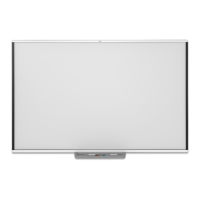
The SMARTBoard M600 series interactive whiteboard is durable and reliable. It features a rugged,
hardened interactive surface, two damage-resistant pens and SMART’s proprietary DViT® (Digital
Vision Touch) technology. The SMARTBoard M680 interactive whiteboard measures 195.6cm
(77") diagonally and has a 4:3 aspect ratio, while the M685 interactive whiteboard measures 221cm
(87") diagonally and has a 16:10 aspect ratio.
Pen tray or pen ledge
Depending on your interactive whiteboard’s model, it comes with a pen tray or pen ledge:
Models Pen tray or pen
ledge
Description
SBM680
SBM685
Pen tray The pen tray connects to the interactive
whiteboard and holds the two included pens.
The pen tray features color select buttons to
change digital ink colors. On-screen keyboard,
right-click and orient features are available on
the pen tray.
SBM680 (as part of
projector system)
SBM685 (as part of
projector system)
SBM680E
SBM685E
Pen tray with
projector controls
The pen tray connects to the interactive
whiteboard and holds the two included pens.
The pen tray features color select buttons to
change digital ink colors. Power and volume
controls are available on the pen tray, as are
the on-screen keyboard, right-click and orient
features.
SBM680V
SBM685V
Pen ledge The durable pen ledge holds the two included
pens.
DViT technology
Four digital cameras, one in each of the interactive whiteboard’s corners, track the position of your
finger or the pen as it moves across the interactive surface.
Multitouch gestures
The interactive whiteboard supports multitouch gestures (Windows® and Mac only). You can use
two fingers to resize an object on a page, to zoom in and out, to rotate an object and more.
Dual touch and dual write
The interactive whiteboard supports dual touch (Windows and Mac only). Two users can use their
fingers to simultaneously perform mouse functions or write on the interactive whiteboard.



 To Next Page