iii smarttech.com/kb/170410
Contents
Important information i
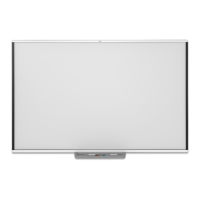
Chapter 1: Introducing the SMARTBoard M600 series interactive whiteboard 1
Introduction 1
Features 2
Computer requirements 3
How does the SMARTBoard interactive whiteboard work? 3
Installation tips 4
Accessories and replacement parts 5
Chapter 2: Connecting a computer 7
Matching the computer’s resolution to the projector’s resolution 7
Installing SMART Product Drivers 7
Chapter 3: Calibrating and orienting the interactive whiteboard 9
Calibrating the interactive whiteboard 9
Orienting the interactive whiteboard 10
Chapter 4: Using the interactive whiteboard 13
Using the pen tray 14
Using SMARTInk 17
Using gestures, dual touch, and dual write 17
Updating SMART software 22
Chapter 5: Maintenance and troubleshooting 23
Tips for trouble-free performance 23
Cleaning the interactive whiteboard 24
General troubleshooting 25
Transporting the interactive whiteboard 31
Contacting SMART Support 31
Appendix A: Hardware environmental compliance 33
Waste Electrical and Electronic Equipment and Battery regulations (WEEE and
BatteryDirectives) 33
Batteries 33



 To Next Page