Chapter 5
23 smarttech.com/kb/170410
Chapter 5: Maintenance and troubleshooting
Tips for trouble-free performance 23
Cleaning the interactive whiteboard 24
General troubleshooting 25
Adjusting the projected image 25
Resetting the interactive whiteboard 25
Preventing USB cable issues 25
Troubleshooting tips 25
Troubleshooting using the status light 29
Transporting the interactive whiteboard 31
Contacting SMART Support 31
Tips for trouble-free performance
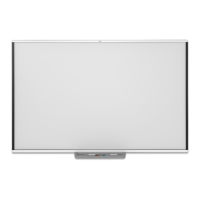
The SMARTBoard interactive whiteboard is durable, but take care to prevent any damage to it and
its parts.
l Replace the pen when the nib wears out.
l Don’t touch the interactive surface with sharp or pointed objects.
l Don’t set up and use the interactive whiteboard in an area with excessive levels of dust,
humidity or smoke.
l Don’t use low-odor dry-erase markers. They can be very difficult to erase.



 To Next Page