14
http://support.weathermatic.com
6.0 Advanced Menu
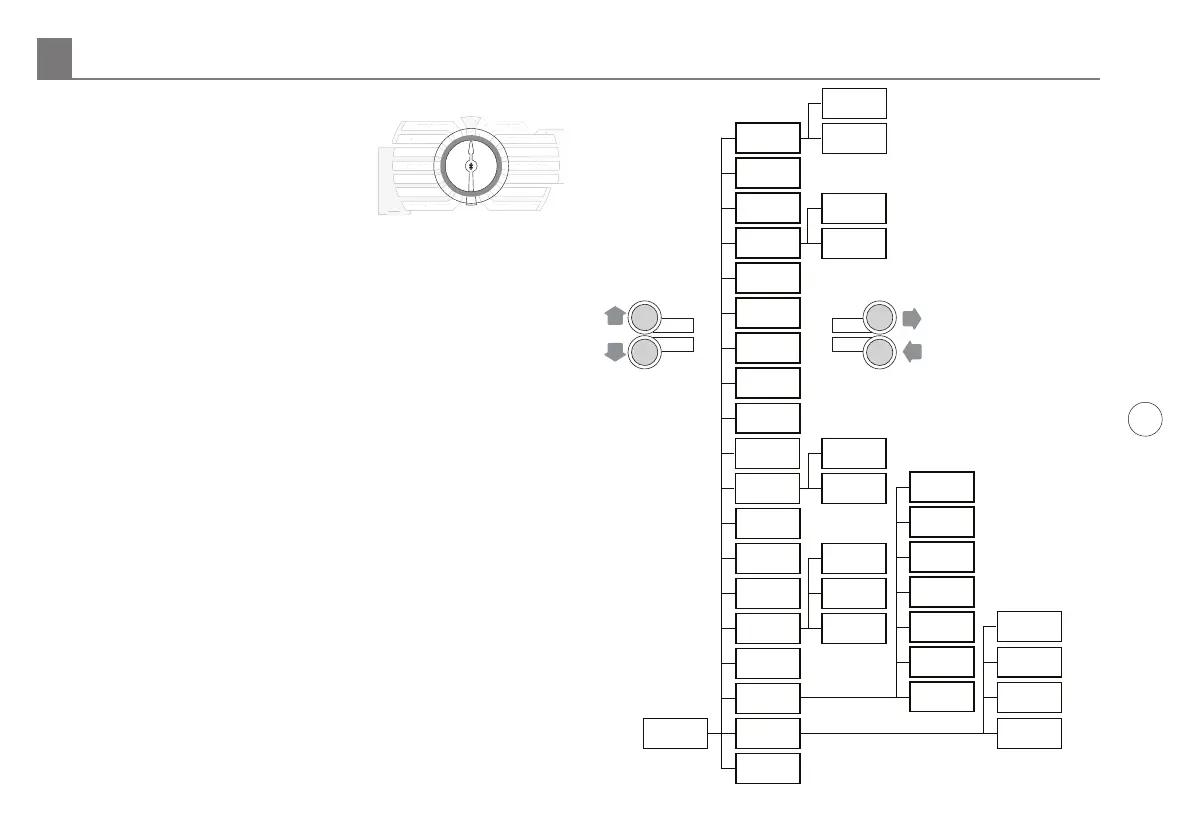
Advanced Menu provides additional
information and allows more technical
inputs commonly used by professional
installers. Advanced Menu contains
menus within menus. To advance to
a sub-menu, press the NEXT button.
Each press of the BACK button will
return you to a higher level until the
top level of the Advanced Menu dial
position is reached.
Refer to the chart to the right for the
location of features within the menus.
Advanced Menu 6.0
SMART
BASIC
MORE
/
LESS
SOIL TYPE
PLANT TYPE
SPRINKLER TYPE
ZIP CODE/LATITUDE
MANUAL ZONE
MANUAL TEST
RUN
SYSTEM OFF
CURRENT TIME / DATE
PROGRAM START TIMES
ZONE RUN TIMES
DAYS TO WATER
OMIT TIMES / DAYS
SEASONAL % ADJUST
MART
BASI
RE
E
S
IL TYPE
PLANT TYPE
PRINKLER TYPE
IP
LATIT
DE
ANUAL ZONE
AN
AL TE
T
YSTEM OFF
CURRENT TIME
DAT
R
RAM START TIME
NE RUN TIME
DAYS T
WATER
OMIT TIMES
DAYS
EAS
NAL % ADJUS
ADVANCED
MENU
Advanced
Functions
FAULTS
(If present)
TESTS
REVIEW
RAIN DLY
SLW
MIN DEF
SENSOR
RUN/SOAK
ZN/ZN DLY
MV/ZN DLY
MV/ZONE
CLR PGM
CLR ALL
WIRELESS
ABOUT
GROW-IN
DEFAULT
TEMP/DATA
NEXT RUN
RUN/SOAK
DEFICIT
TOTL RUN
CLR TOTL
CLR DEF
OUTPUTS
BATTERY
24V PWR
LOCATOR
DS TIME
NUM STRT
FREEZE
RAIN
DELAY
ON/OFF
DS SETUP
INSTALL
SET CODE
RETRIEVE
STORE
UP
DOWN
NEXT
BACK



 To Next Page