4
http://support.weathermatic.com
Mode Selection LED will display red when controller is turned to
SYSTEM OFF.
If you move the dial to any position other than RUN or SYSTEM
OFF, and there is no control panel activity for 30 minutes, the
controller will return to the RUN mode, and the display screen
will show the idle default screen or will return to a program in
progress that was interrupted.
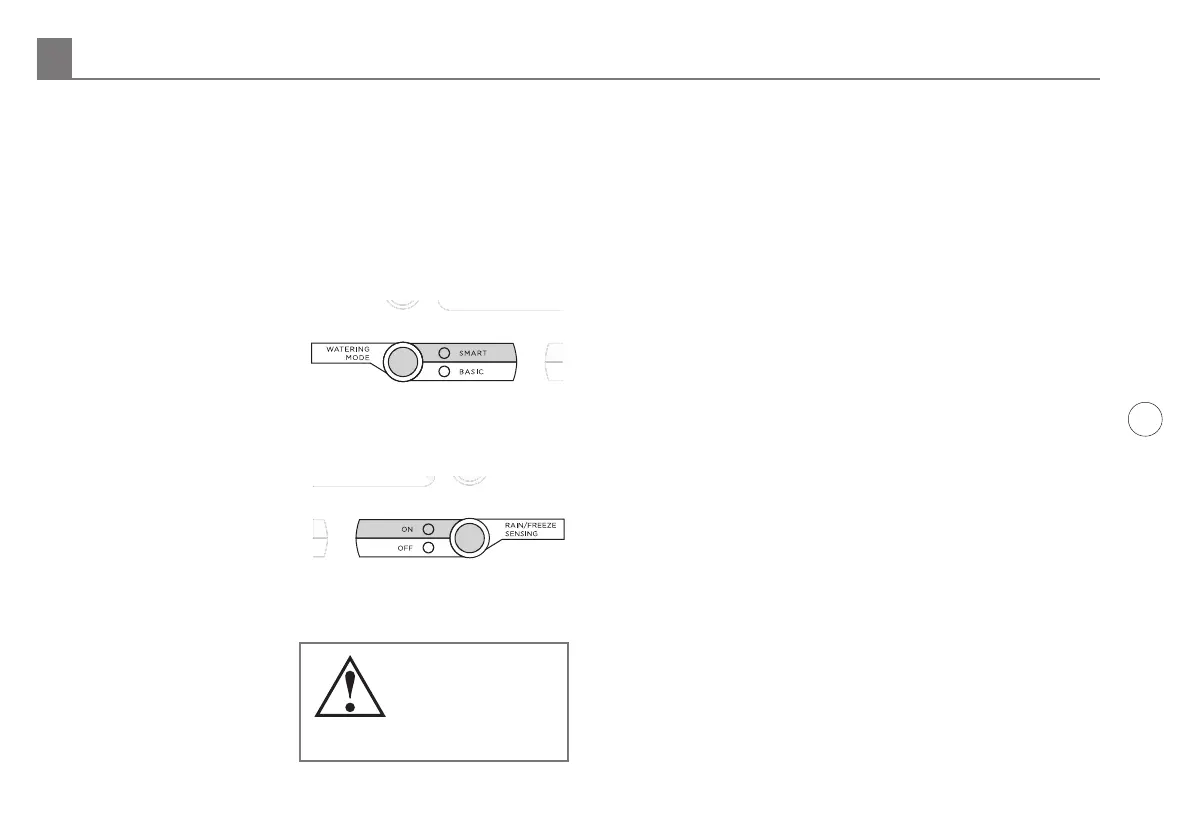
Watering Mode Button: Used to select SMART or BASIC
watering. During normal operation the MODE LED will display
GREEN. It will change to
ORANGE during a pause in
operation and will display
RED when SmartLine®
controller dial is turned to
SYSTEM OFF.
Rain/Freeze Sensing Button: Used to activate or bypass optional
sensors for rain, freeze, or wind. If these sensors are connected
to your SmartLine® controller,
they will override watering
operations if the ON LED is
selected. If your sensor/s
have paused your system
operation, the ON LED will be
RED until the sensors allow watering to resume. In the event of
a "rain" pause, the LED will change from RED to ORANGE for
an additional pause time
before the LED displays
GREEN and system
operation resumes. Smart
Watering deficits will
decrement to 0 at the rate
of 1" per hour. The sensor
LED will display GREEN
again when the sensor/s are no longer pausing your system
operation.
Note: The SLW Delay dryout period is factory set for 48 hours.
To change the delay period, see SLW in Advanced Menu.
If you wish to deactivate the sensors, use the RAIN/FREEZE
SENSING button to light the green OFF LED. Example: You
wish to water after fertilizing and your rain sensor is still
pausing the watering program. As long as the OFF LED is on,
the sensors will not pause your system operation.
Note: You may have zones you want to omit from rain/freeze
shutdown. Example: Potted plants under cover. If you are
using an SLW Weather Sensor or the RFS5 rain/freeze sensor
communicating with your controller through an SLHUB, see
SLW in Advanced Menu for instructions. If you are using a rain/
freeze sensor connected to your controller at the SEN terminals,
see SENSOR in Advanced Menu for instructions.
3.0 Programming
Your SmartLine® controller has two operating modes: BASIC
mode or Weathermatic’s patented SMART mode. The BASIC
mode uses user assigned zone run times. The SMART mode
overrides user assigned zone run times and calculates zone
run times based on the location of the site, inputs by zone, and
weather readings from the SLW Weather Sensor. Note: SMART
requires the optional SLW Weather Sensor.
Smart watering calculates ET (evapotranspiration), the
landscape’s daily water loss, and schedules the correct amount
of irrigation to replace the loss. When combined with a
Weathermatic SLW Weather Sensor, Smart mode gives you the
power to reduce water waste. Many water districts are oering
Note: The RAIN/
FREEZE SENSING
button can be used
to bypass rain and
freeze sensors.
Programming 3.0



 To Next Page