Fast old down: show the remaining time
Once on, the dishwasher displays the program ID (e.g. “Pr 03”).
When the interface is switched off, the display reads “OFF”.
When the door is open the display shows four dashes and the other buttons are disabled.
If the dishwasher is switched off with the water in the tank, the “OFF” flashing, at the end
becomes fixed .
The dishwasher is still powered up even with the interface turned off.
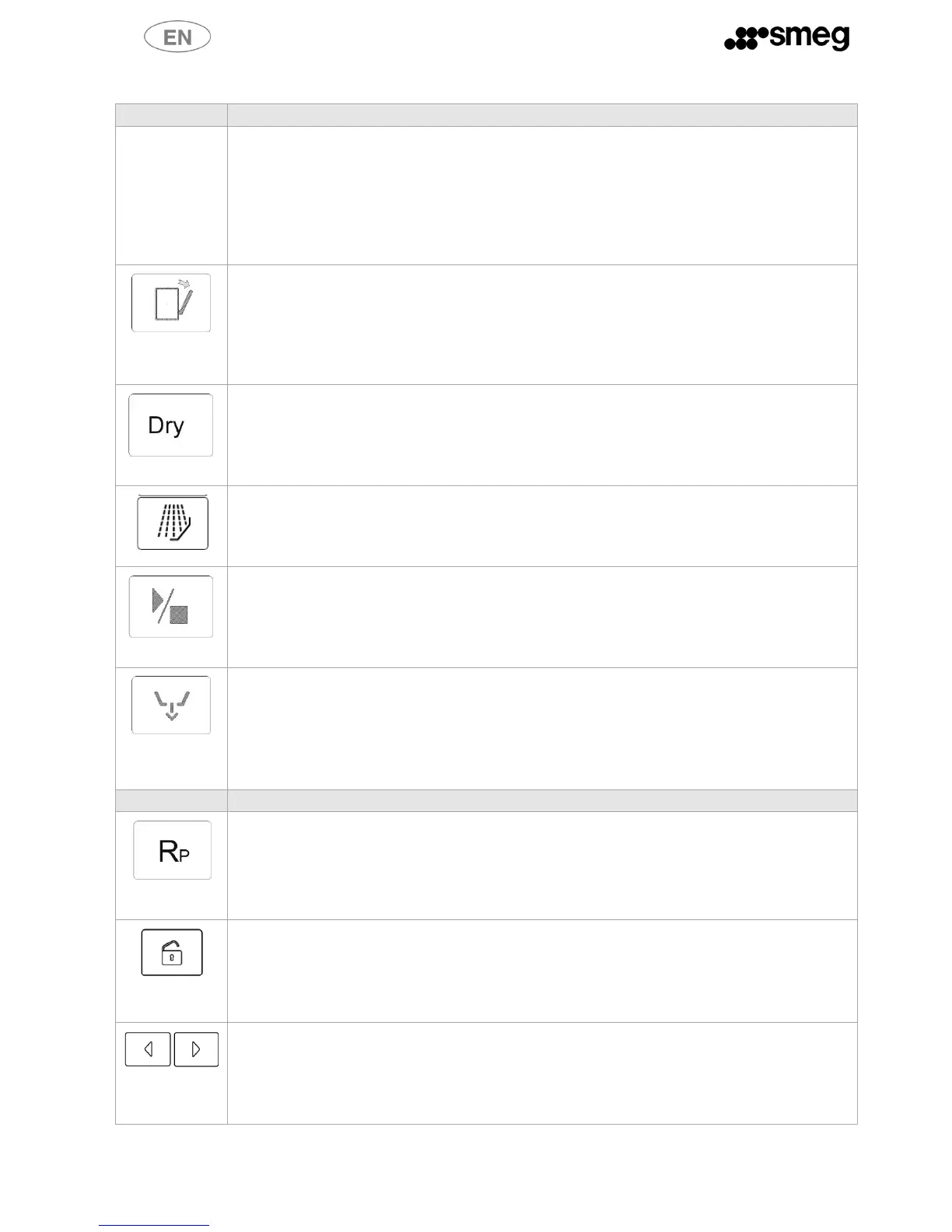
Auto Open – open door at end of cycle (model SWT262)
This button sets the door open function - see below for restrictions when running a heat
disinfection cycle.
The button is not enabled for the prewash and service cycles.
It is alternative to the Repeat function.
There is no need to press the button for every cycle; it remains active once pressed
Dry – drying (ONLY MODELS WITH DRYER – SWT260X)
The button is sued to set the drying function and is only active in programs which use this
option – see programs table.
It is alternative to the Repeat function.
There is no need to press the button for every cycle; it remains active once pressed.
Additional prewash
The button is sued to set the additional cold prewash at the beginning of each cycle .
There is no need to press the button for every cycle; it remains active once pressed.
Start/Pause
Starts a new cycle or pauses the current one. Must be held down for 2 seconds.
When the cycle starts or pauses, a double beep will sound.
The button can also be used to confirm a dishwasher parameter during configuration (hold
down for 2 seconds).
Drain
Once a wash cycle has terminated, pressing this button drains the water, runs a regeneration
cycle (as applicable) and automatically turns the dishwasher off.
Confirm with start/pause, the display reads “UnLoad”.
If the automatic regeneration phase is done, “OFF” an “R” flashing until end of phase.
Repeat
Pressing this button reuses the water from the most recent rinse for the next cycle's
wash to speed up operation, in programs which have this option. This is not available
if you have selected drying or automatic open at end of cycle.
Open door
The door opens automatically with an electric lock, and is only possible when certain
conditions obtain.
Simply press the button; the door opens when it is released.
Select
Press the button > to go to the next program or < to the previous one; the selection cycles
from last to first and vice-versa depending on direction; the selected program is displayed
with “Pr” and the program number.
Hold down the button to scroll through the programs quickly.



 To Next Page