Chapter 5 - Operation and use
38
5.2 TURNING THE MACHINE ON
Turn the main switch on the control panel to its ON position and then press button to
power up.
On the semi-automatic models FP560A-FP870A, pressing this button starts initialisation
diagnostics tests. This stand-by message is shown on the display of the operator panel during
the above process:
(sealing frame automatism motor)
The display then shows the machine model with the current software version and the main
menu in the picture.
5.3 ACTIVATION AND STOP OF THE PACKAGING CYCLE ON THE
SEMI-AUTOMATIC MODELS (FP560A-FP870A)
Press the START button to start the packaging cycle. Press any button on the operator panel
to stop the packaging cycle.
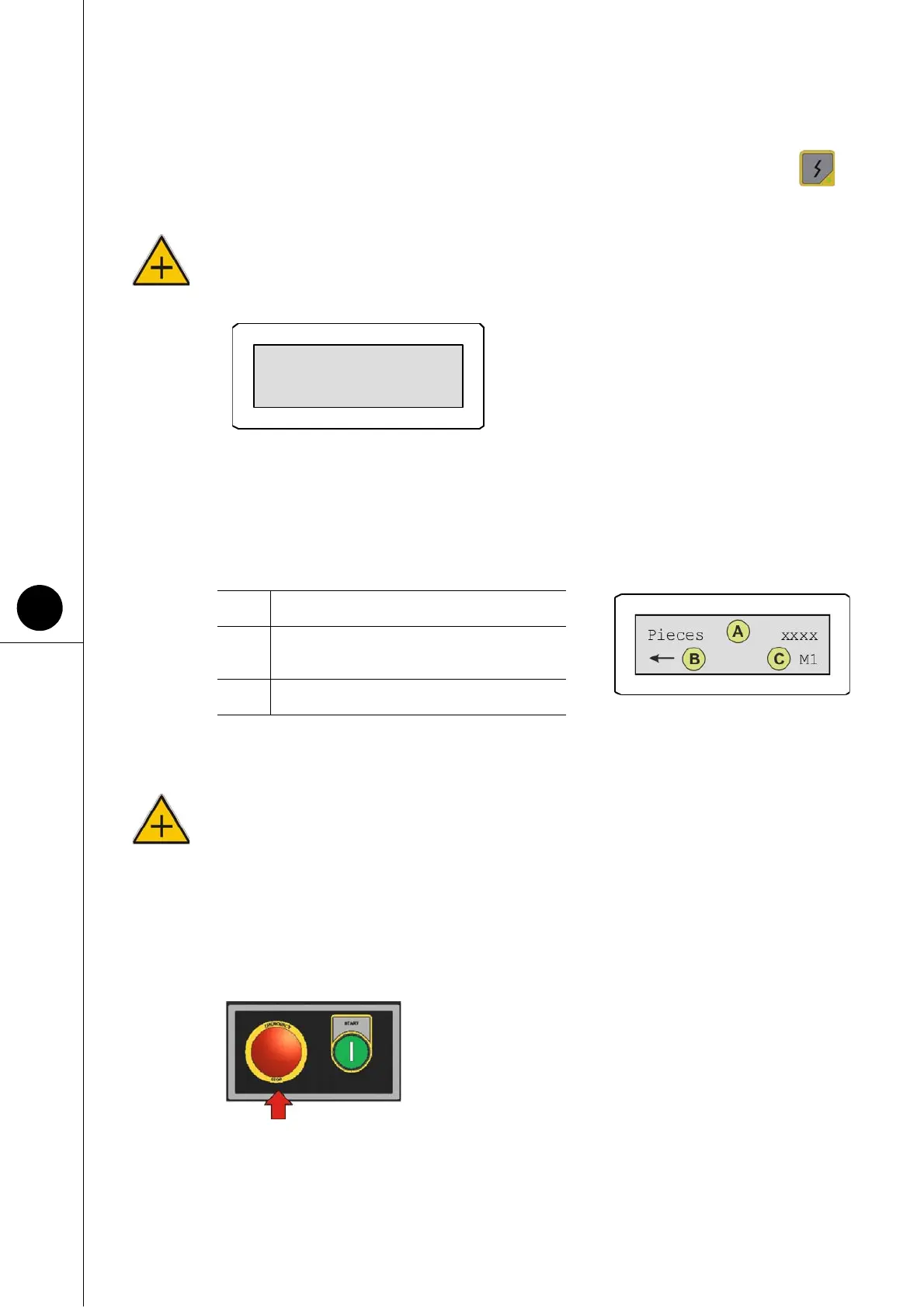
5.4 STOPPING THE MACHINE IN AN EMERGENCY
There is a red button against a yellow background for stopping
the machine in the event of an emergency. Pressing this
button stops the machine instantly.
ATTENTION! Press this button only in the event of an imminent danger or mechanical
accident.
EMERGENCY appears on the electronic display and the operator panel might emit a noise.
A Indicates the number of pieces packaged.
B
The “arrow” symbol indicates that the
machine is ready for packaging.
C Indicates the active programmable memory.
MOTOR INIT



 To Next Page