snom 3x0 VoIP Phones User Manual English
6 • Overview
© snom technology AG 2007
English
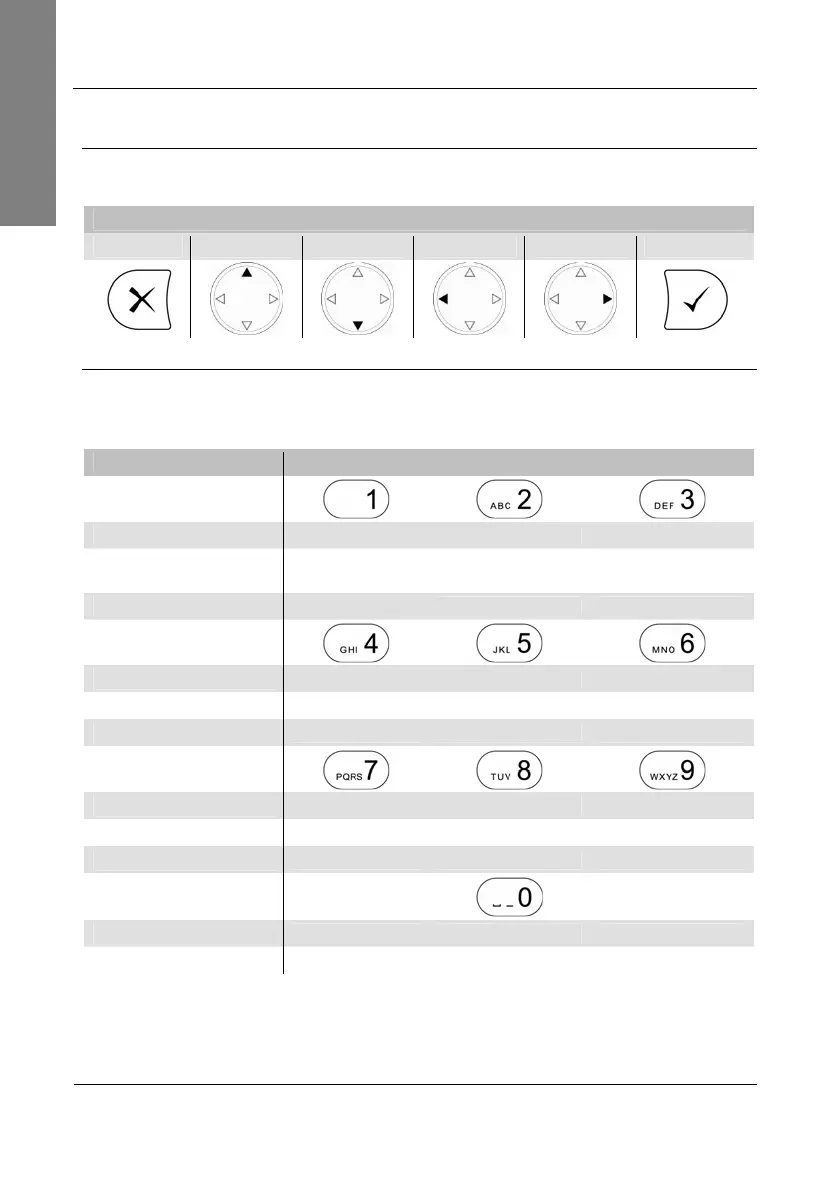
(2a) Navigation Keys
Use the navigation keys to navigate in the display menus and confirm and cancel
actions.
snom 300 - snom 320 - snom 360 - snom 370
Cancel Up Down Left Right Confirm
(2b) Alphanumeric Keys
Use the alphanumeric keys to enter numbers, letters and special characters. Depending
on the selected input mode (see page 54) you can enter digits, lower / upper case or
special charact
ers.
Input mode snom 300 - snom 320 - snom 360 - snom 370
Digits
1 2 3
Upper case
Special
characters
1
ABC2 DEF3
Lower case
abc2 def3
Digits
4 5 6
Upper case
GHI4 JKL5 MNO6
Lower case
ghi4 jkl5 mno6
Digits
7 8 9
Upper case
PQRS7$ TUV8 WXYZ9
Lower case
pqrs7$ tuv8 wxyz9
Digits
0
Lower / Upper case
„space“,”_”,”0”



 To Next Page