snom 3x0 VoIP Phones User Manual English
© snom technology AG 2007
Basic Call Functions
• 73
English
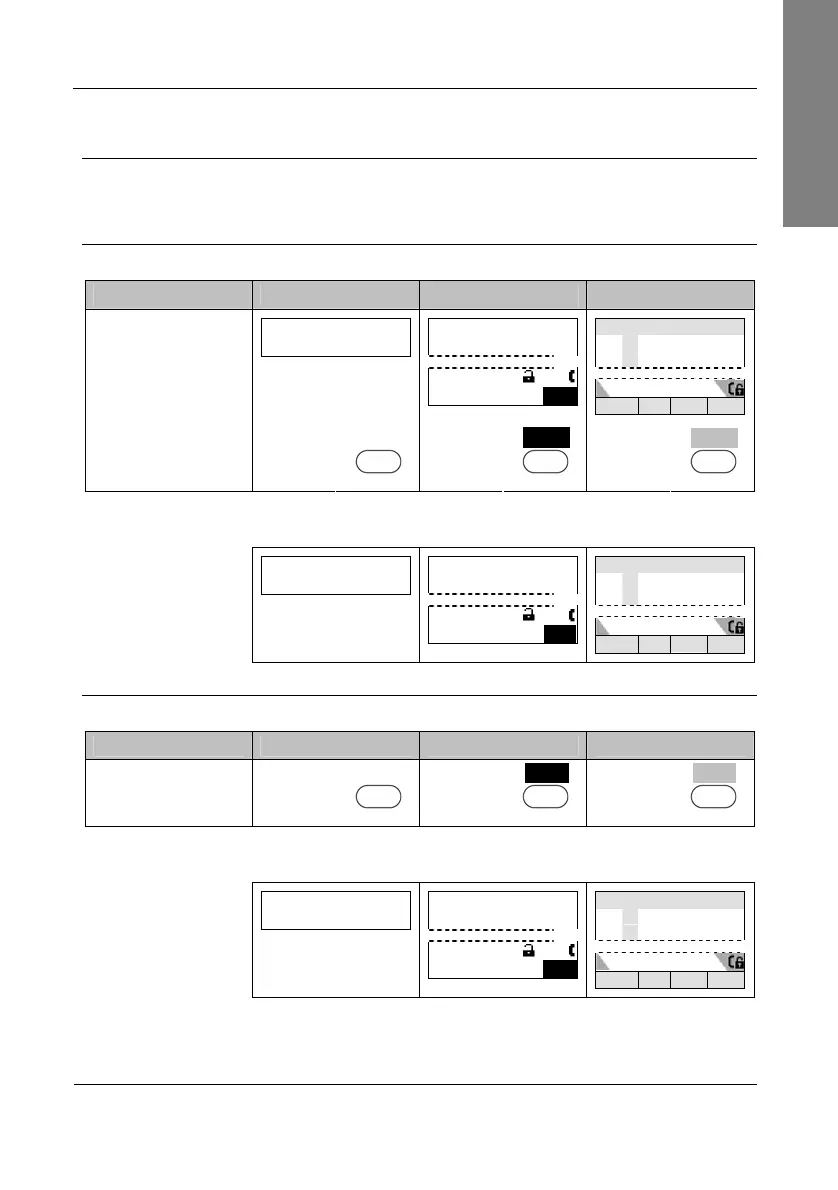
Multiple Speaker Mode
This option is only available during an active call and allows you to use two speakers
simultaneously for listening (handset/casing speaker or headset/casing speaker).
Enable Casing Speaker
Action: Turn on the casing speaker during an active call when in handset mode.
snom 300 snom 320 snom 360 snom 370
extA
1:10
… … +Spkr …
—— Connected ——
extA
1:10
… …
…
+Spk
Connected time
extA
extB
… … … +Spkr
Not applicable
Press
+Spkr
S3
Press
+Spkr
S4
Press
+Spkr
S4
Result: The casing speaker has been activated as indicated by the changing text/icon
above the corresponding context-sensitive key
extA
1:10
… … -Spkr …
—— Connected ——
extA
1:10
… …
…
-Spkr
Connected time
extA
extB
… … … -Spkr
Disable Casing Speaker
Action: Turn on the casing speaker during an active call in handset mode.
snom 300 snom 320 snom 360 snom 370
Press
-Spkr
S3
Press
-Spkr
S4
Press
-Spkr
S4
Result: The casing speaker has been deactivated as indicated by the changing text/
icon above the corresponding context-sensitive key
extA
1:10
… … +Spkr …
—— Connected ——
extA
1:10
… …
…
+Spk
Connected time
extA
extB
… … … +Spkr



 To Next Page